Chart and Dashboard
The chart and dashboard in Gunbot help you track your trading bot. TradingView charts show strategy targets and results as they happen, and the quick settings sidebar on the right lets you adjust running strategies.
The dashboard summarizes performance across trading pairs so you can compare stats and review results.
Info
TradingView is a charting platform and social network used for market analysis. Gunbot integrates TradingView charts for visualization.
Advanced Mode
This article shows the interface in Advanced Mode.
TradingView Charts
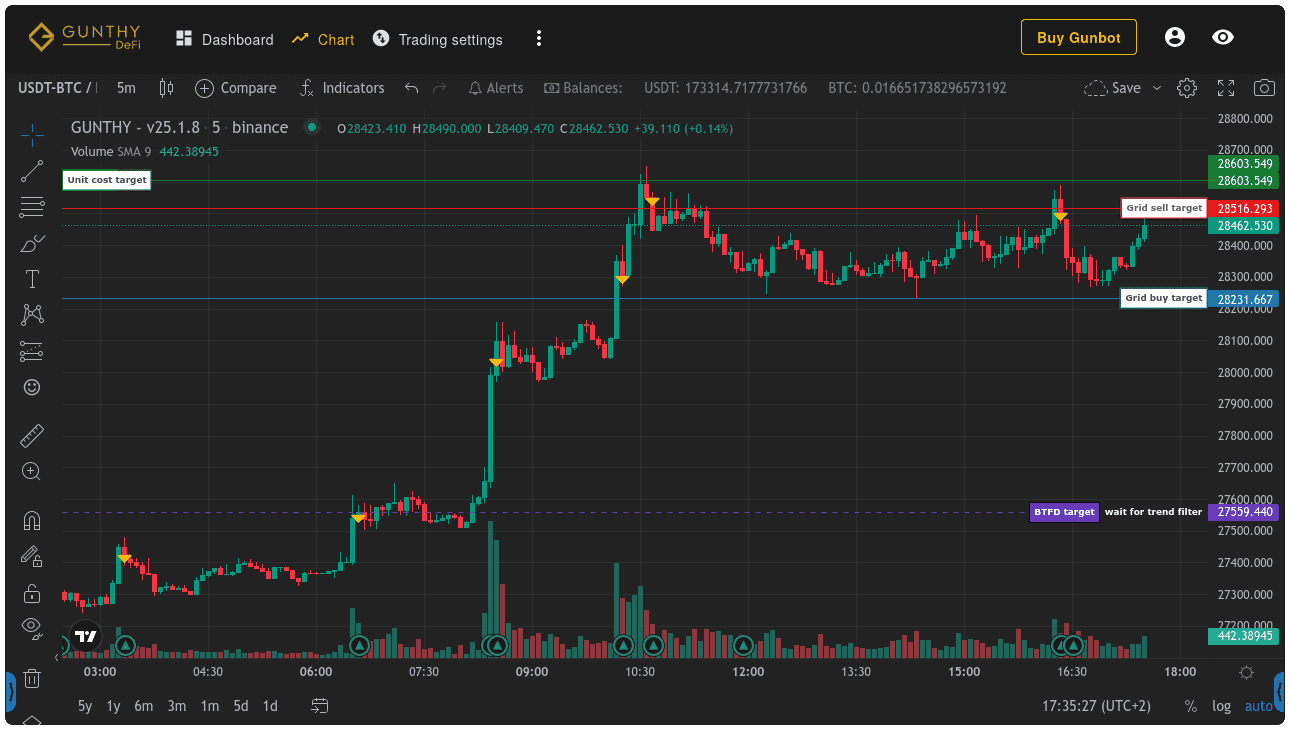
Monitor your trading strategies in real time.
Fullscreen Symbol Search
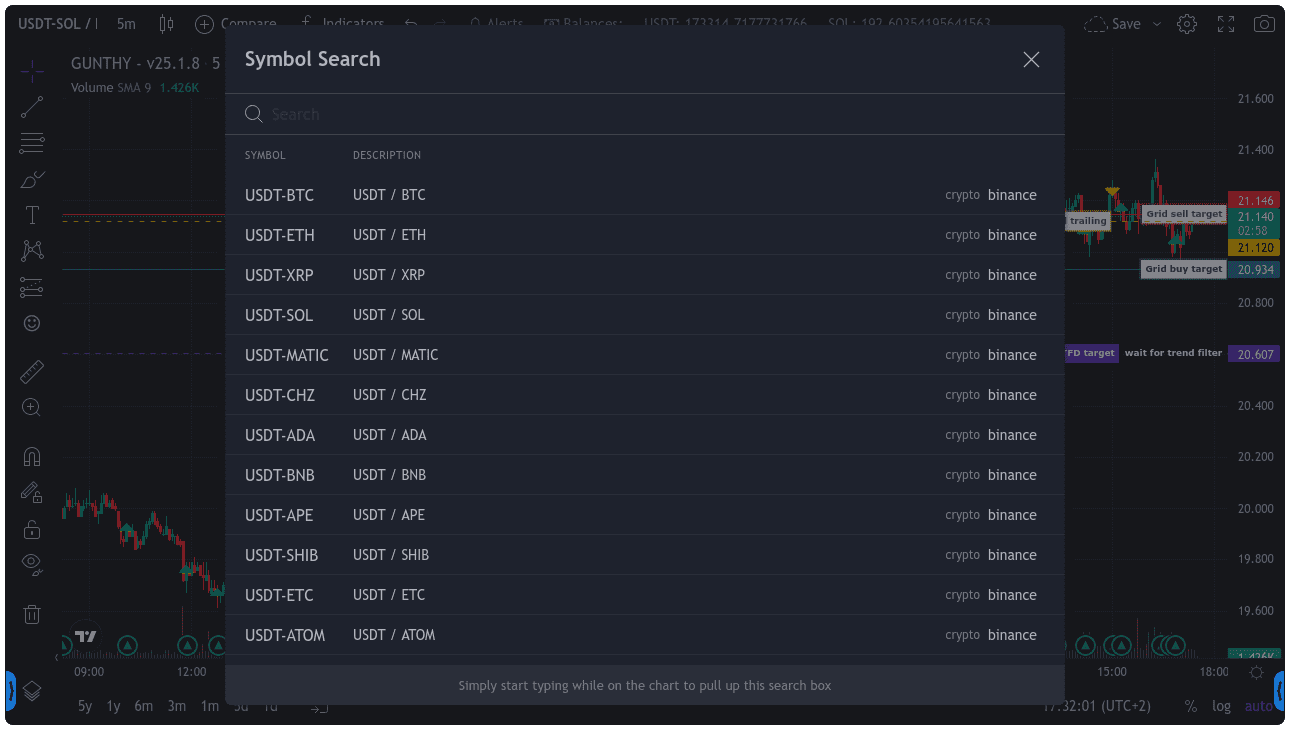
Quickly search for pairs you are trading with Gunbot.
Left Sidebar Pair Navigation
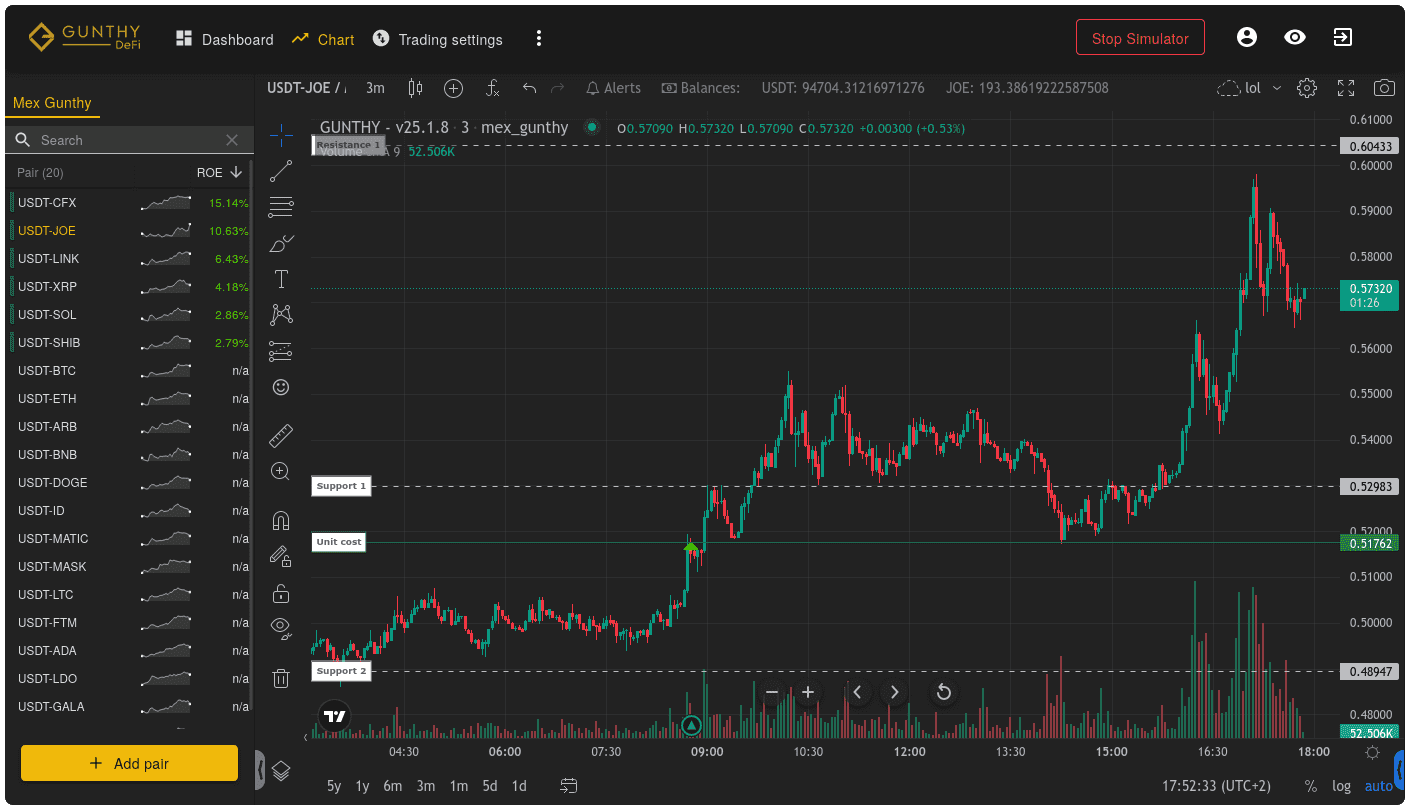
The sidebar on the left makes it even easier to select running pairs.
Right Sidebar Stats
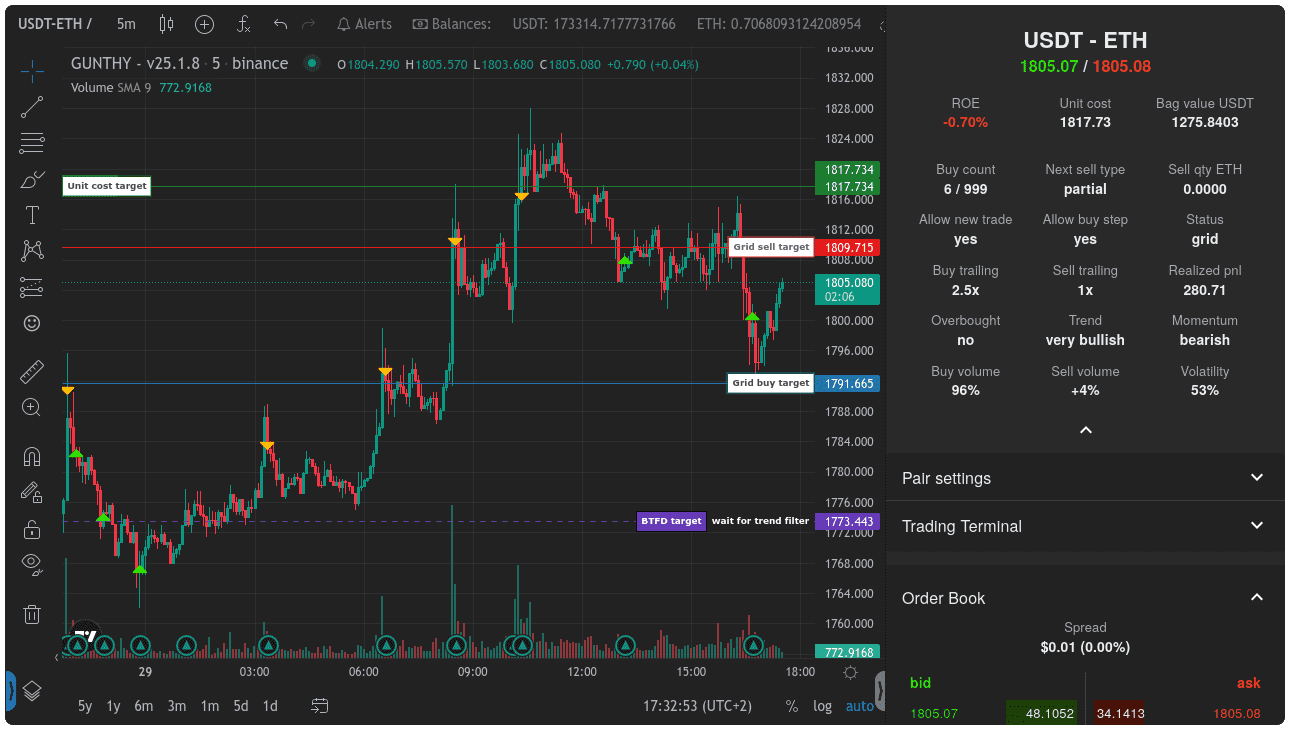
The sidebar on the right shows position and strategy stats.
Pair Settings
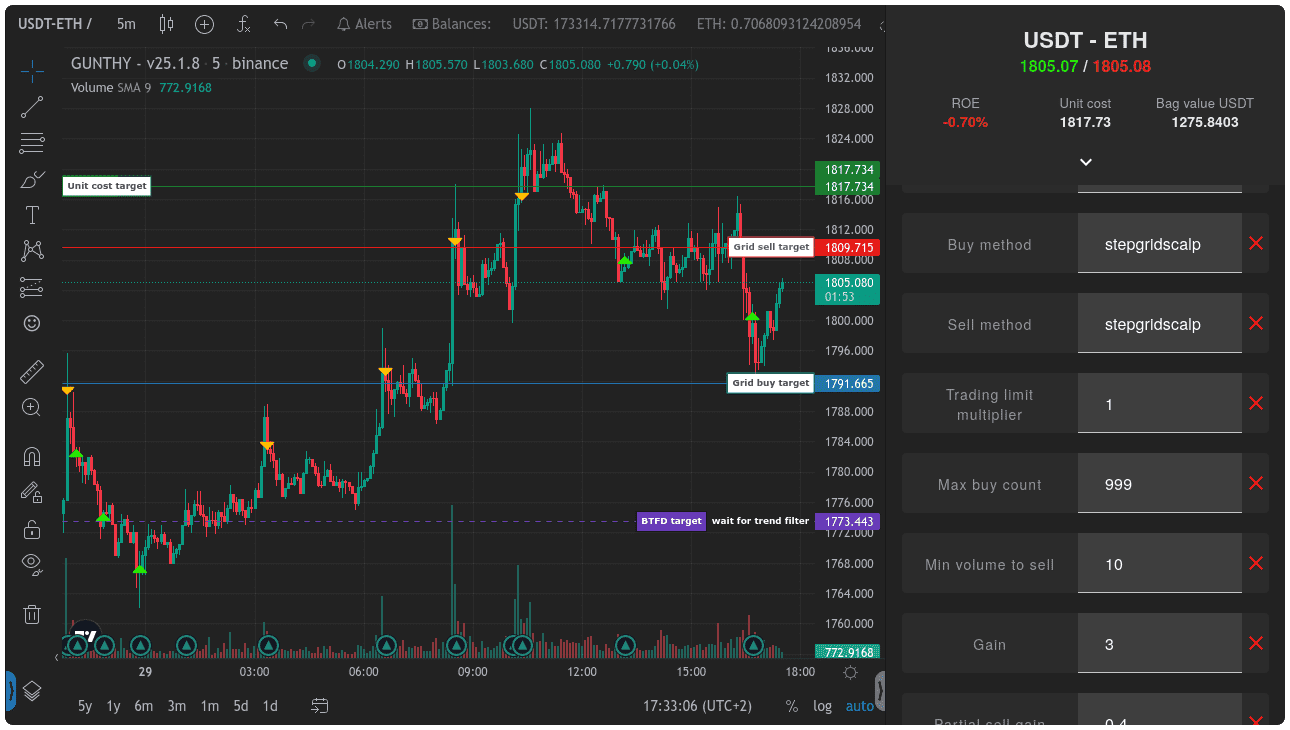
You can also quickly edit settings for a running pair from the left sidebar.
Compare Strategy Stats
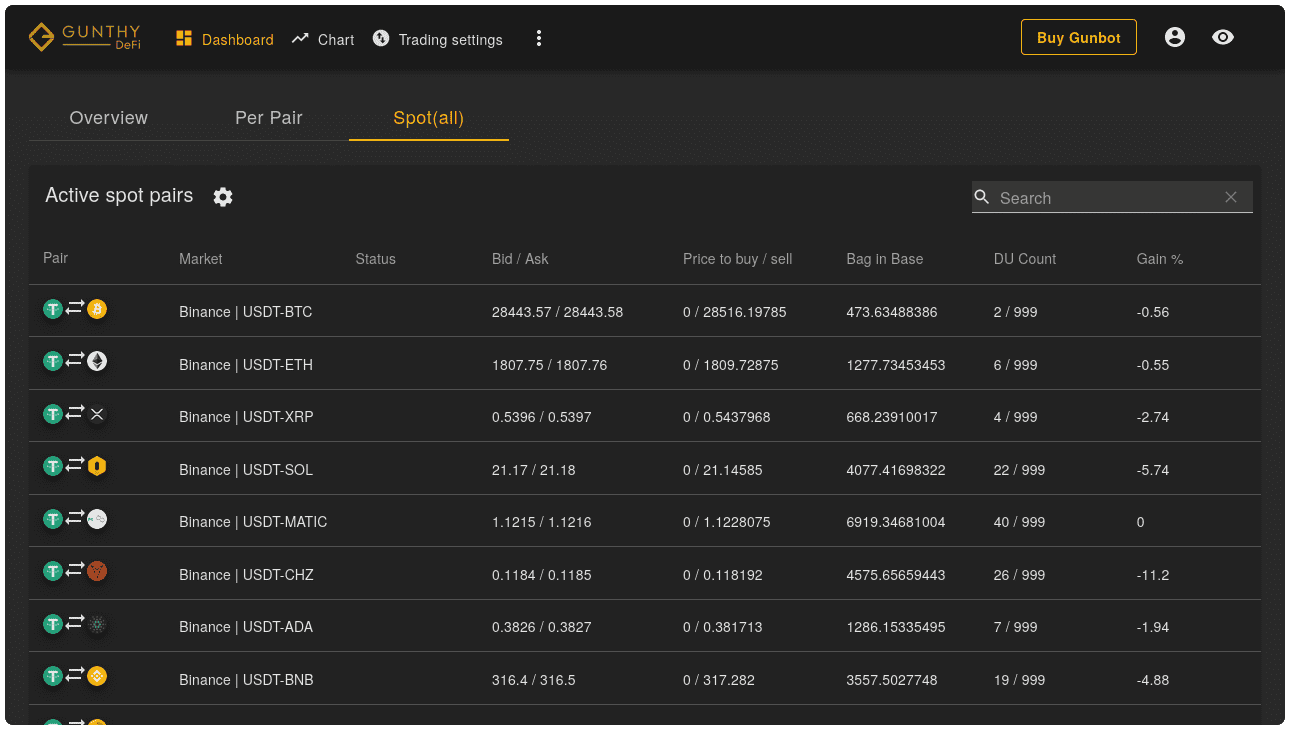
Compare live stats from all your running strategies on the dashboard.
Detailed Profit and Loss Statistics
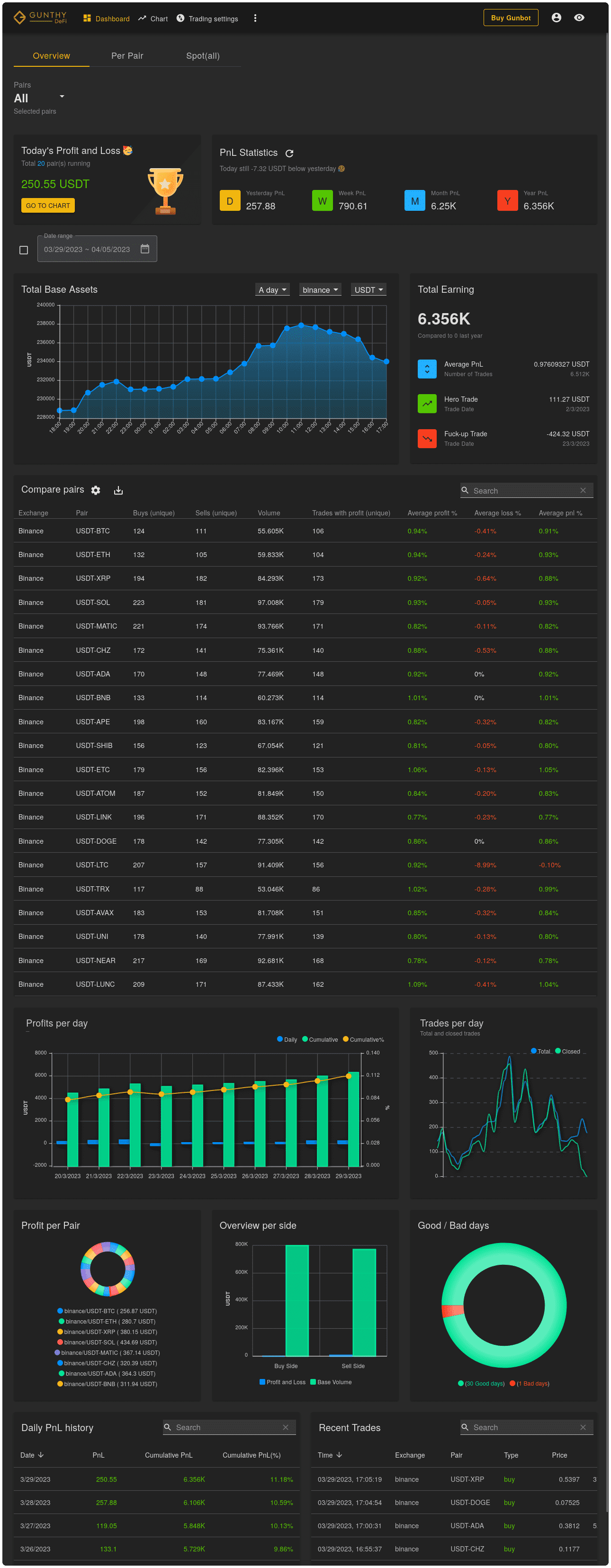
The dashboard shows detailed profit and loss statistics for every pair you have traded with Gunbot.