Neptune Scalp Spot Trading Strategy
Neptune Scalp is a spot mean-reversion strategy built around Bollinger Bands, a fast EMA, and the Awesome Oscillator (AO). It looks for price near the lower Bollinger Band while short-term price direction and momentum begin to recover.
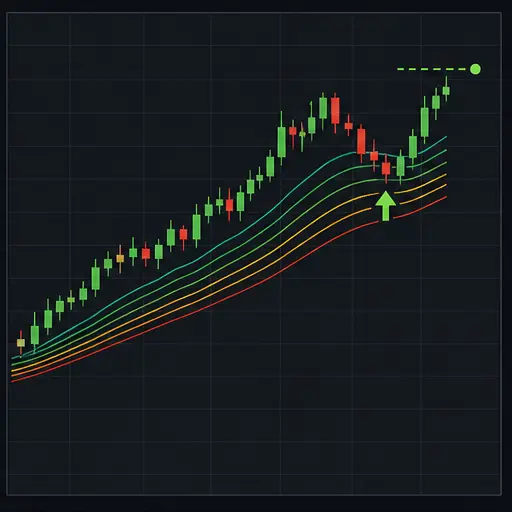
The strategy aims to enter after weakness, not while price is simply falling. By default, the EMA must turn upward, price must recover to that EMA, and AO must be turning up near its zero line.
warning
A lower-band touch is not support by itself. In a strong decline, the Bollinger Bands can keep expanding downward. Neptune works best in liquid ranges and orderly reversals, not uncontrolled selloffs.
Trading behavior
Neptune calculates:
- A short EMA, with length 3 by default.
- Bollinger Bands, using 20 candles and 2 standard deviations by default.
- Awesome Oscillator from fast and slow averages of candle midpoint prices.
It needs enough candle history for the longest configured indicator before it can trade.
Entry
A buy setup requires three pieces to agree.
First, the current low or close must be close to the lower Bollinger Band. NPT_BB_PROXIMITY_PCT controls how much room is allowed around that band.
Second, the EMA must confirm recovery:
- With
NPT_REQUIRE_MIDDLE_CROSSdisabled, the EMA must be rising and price must close at or above it. - With the setting enabled, the EMA must cross from below the Bollinger middle band to above it.
Third, AO must be moving upward around zero. It can qualify by crossing above zero, improving while slightly below zero, or accelerating just above zero. NPT_AO_ZERO_NEAR_PCT controls how close AO must be to zero for the latter two cases.
The strategy then checks spread, session, news block, cooldown, available funds, and order minimums. It buys once for the configured order value and does not add to the position.
tip
Requiring an EMA/middle-band cross is much stricter than the default EMA turn. It can reduce early entries, but it also enters later and may miss shallow rebounds.
Profit target
In percentage mode, the target starts at average entry plus NPT_TARGET_PCT. In pip mode, Neptune chooses the pip target associated with the selected candle period:
| Period | Target setting | Stop setting |
|---|---|---|
| 1 minute | NPT_TARGET_PIPS_1M | NPT_STOP_PIPS_1M |
| 5 minutes | NPT_TARGET_PIPS_5M | NPT_STOP_PIPS_5M |
| 15 minutes | NPT_TARGET_PIPS_15M | NPT_STOP_PIPS_15M |
| 30 minutes | NPT_TARGET_PIPS_30M | NPT_STOP_PIPS_30M |
| Other | NPT_TARGET_PIPS | NPT_STOP_PIPS |
With NPT_USE_BB_TARGET enabled, the upper Bollinger Band can bring the target closer when it lies below the fixed target. It does not pull the sell below the configured minimum net gain after estimated fees.
This is an upper-band target, despite Neptune's mean-reversion entry. The strategy is trying to capture more than a simple return to the middle band.
AO color exit
AO is green when its current value is at least its previous value and red when it is falling. With NPT_EXIT_ON_AO_COLOR_CHANGE enabled, a green-to-red change can close a position.
This exit only sells at or above break-even. If AO turns down while the position is losing, Neptune continues holding.
Opposite-signal exit
The opposite setup requires:
- Price near the upper Bollinger Band.
- EMA crossing down through the Bollinger middle band.
- AO turning downward near zero.
When NPT_EXIT_ON_OPPOSITE_SIGNAL is enabled, this can close a position at or above break-even.
Protective stop
With NPT_USE_PROTECTION enabled, Neptune may close below break-even at the configured percentage or period-specific pip distance.
Protection takes priority over AO and opposite-signal exits. In a backtest where target and stop are both touched inside the same candle, the result is handled conservatively as a stop rather than assuming the target happened first.
Session and news controls
The optional session filter restricts new entries to UTC windows. The default window is 08:00-16:00. It does not suspend management of an open position.
The news block is manual. It pauses entries when enabled or until the provided timestamp. It does not obtain news data automatically and does not force a sell.
Good market conditions
Neptune Scalp is most at home in a liquid market that:
- Moves between recognizable Bollinger extremes.
- Shows a genuine momentum recovery after touching the lower region.
- Has enough volatility to reach the target, but not so much that bands expand uncontrollably.
- Maintains a small spread relative to the intended profit.
Useful visual conditions include a lower-band test, flattening downside momentum, a rising short EMA, and AO changing from more negative to less negative.
Avoid or test especially carefully during:
- Strong bearish trends where price repeatedly rides the lower band.
- Very narrow ranges that cannot cover fees and minimum gain.
- Sudden gaps or isolated wicks that create a misleading band touch.
- Thin markets where the bid/ask spread changes sharply.
ADX is not part of this strategy. Neptune does not independently reject a strong trend, so pair selection and backtesting must do that work.
How to create a Neptune Scalp strategy
- Create a new spot strategy in the advanced strategy editor.
- Select
neptunescalpfor both buy and sell method. - Start with the default five-minute period.
- Set the general and NPT trading limits to the same intended order value.
- Confirm the exchange minimum buy and sell values.
- Leave pip mode disabled for the first crypto backtest.
- Test both ranging and strongly falling periods.
- Decide whether a protective stop is necessary for your risk plan.
A practical tuning workflow
Start with the market regime. If entries cluster during persistent declines, do not immediately compensate by making the target larger. First make the setup more selective:
- Reduce Bollinger proximity to demand a closer band test.
- Increase Bollinger deviation to move the bands farther from the middle.
- Require the EMA to cross the middle band.
- Reduce the AO near-zero allowance.
If valid reversals are missed, adjust these in the opposite direction, one at a time.
Then compare exit styles. The upper-band target adapts to the current envelope, while a fixed percentage or pip target stays anchored to entry. AO color exits can shorten trades when momentum fades, but they will not cut losing positions.
Tune protection last and judge it over many trades. A stop that sits inside ordinary five-minute candle movement is likely to dominate the strategy.
Core settings
| Label | Config parameter | Default | Description |
|---|---|---|---|
| Buy enabled | BUY_ENABLED | true | Allows new entries. Disabling it leaves existing positions available for sell management. |
| Sell enabled | SELL_ENABLED | true | Allows targets, signal exits, and protective stops to execute. |
| Period | PERIOD | 5 | Candle period in minutes. In pip mode, it selects a period-specific target and stop where available. |
| Trading limit | TRADING_LIMIT | 100 | Compatibility fallback only. It is ignored while the strategy-specific trading limit is positive; the two values do not need to match. For USDT-BTC, this value is in USDT. |
| Funds reserve | FUNDS_RESERVE | 0 | For USDT-BTC, the amount of USDT the bot must leave unused. |
| Amount retained from sells | KEEP_QUOTE | 0 | For USDT-BTC, the amount of BTC the strategy must not sell. |
| Min volume to buy | MIN_VOLUME_TO_BUY | 10 | General minimum buy value. Keep it aligned with NPT_MIN_ORDER_VALUE. For USDT-BTC, this value is in USDT. |
| Min volume to sell | MIN_VOLUME_TO_SELL | 10 | General minimum sell value. Keep it aligned with NPT_MIN_SELL_VALUE. For USDT-BTC, this value is in USDT. |
| Gain | GAIN | 0.3 | General target value. Keep the intended percentage explicit in NPT_TARGET_PCT. |
Order and execution settings
| Label | Config parameter | Default | Description |
|---|---|---|---|
| NPT trading limit | NPT_TRADING_LIMIT | 100 | For USDT-BTC, the amount of USDT used for the single entry order. |
| NPT min order value | NPT_MIN_ORDER_VALUE | 10 | Minimum value required to place a buy. For USDT-BTC, this value is in USDT. |
| NPT min sell value | NPT_MIN_SELL_VALUE | 10 | Minimum position value required for a sell; smaller holdings are treated as dust. For USDT-BTC, this value is in USDT. |
| NPT cooldown ms | NPT_COOLDOWN_MS | 60000 | Minimum milliseconds between live actions. 60000 is one minute. |
| NPT max spread % | NPT_MAX_SPREAD_PCT | 0.08 | Maximum bid/ask spread as a percentage of midpoint. |
| NPT max spread absolute | NPT_MAX_SPREAD_ABSOLUTE | 0 | Optional maximum spread in pair price units. 0 disables this additional check. For USDT-BTC, this value is in USDT. |
Indicator settings
| Label | Config parameter | Default | Description |
|---|---|---|---|
| EMA length | NPT_EMA_LENGTH | 3 | Lookback for the fast EMA used to confirm recovery and middle-band crosses. |
| BB length | NPT_BB_LENGTH | 20 | Number of closes used for the Bollinger middle and standard deviation. |
| BB deviation | NPT_BB_DEVIATION | 2 | Number of standard deviations between middle and outer bands. Higher values create wider bands and fewer touches. |
| AO fast length | NPT_AO_FAST_LENGTH | 5 | Fast midpoint SMA used by Awesome Oscillator. |
| AO slow length | NPT_AO_SLOW_LENGTH | 34 | Slow midpoint SMA used by AO. Keep it longer than the fast length. |
| BB proximity % | NPT_BB_PROXIMITY_PCT | 0.15 | Allowed distance around an outer band for the price test. Higher values accept entries farther from the band. |
| AO zero near % | NPT_AO_ZERO_NEAR_PCT | 0.05 | Defines how close AO must be to zero for a near-zero momentum turn. Lower values demand a tighter approach. |
| Require EMA middle cross | NPT_REQUIRE_MIDDLE_CROSS | false | Replaces the default EMA-turn confirmation with a fresh EMA cross above the Bollinger middle band. |
Exits and targets
| Label | Config parameter | Default | Description |
|---|---|---|---|
| Exit on AO color change | NPT_EXIT_ON_AO_COLOR_CHANGE | true | Allows a green-to-red AO change to sell at or above break-even. |
| Exit on opposite signal | NPT_EXIT_ON_OPPOSITE_SIGNAL | true | Allows a complete upper-band bearish setup to sell at or above break-even. |
| Use BB target | NPT_USE_BB_TARGET | true | Uses the closer of the fixed target and upper Bollinger Band, while respecting fees and minimum gain. |
| Use pips | NPT_USE_PIPS | false | Uses pip distances instead of percentage target and stop. |
| Pip size | NPT_PIP_SIZE | 0.0001 | Pair-price value of one pip. Set it correctly before enabling pip mode. For USDT-BTC, this value is in USDT. |
| Target pips | NPT_TARGET_PIPS | 8 | General pip target used when the selected period has no dedicated value. |
| Target pips 1m | NPT_TARGET_PIPS_1M | 5 | Pip target for one-minute candles. |
| Target pips 5m | NPT_TARGET_PIPS_5M | 8 | Pip target for five-minute candles. |
| Target pips 15m | NPT_TARGET_PIPS_15M | 12 | Pip target for 15-minute candles. |
| Target pips 30m | NPT_TARGET_PIPS_30M | 18 | Pip target for 30-minute candles. |
| Stop pips | NPT_STOP_PIPS | 12 | General protective distance where no dedicated period value exists. |
| Stop pips 1m | NPT_STOP_PIPS_1M | 8 | Protective distance for one-minute candles. |
| Stop pips 5m | NPT_STOP_PIPS_5M | 12 | Protective distance for five-minute candles. |
| Stop pips 15m | NPT_STOP_PIPS_15M | 18 | Protective distance for 15-minute candles. |
| Stop pips 30m | NPT_STOP_PIPS_30M | 25 | Protective distance for 30-minute candles. |
| Target % | NPT_TARGET_PCT | 0.5 | Profit target above average entry in percentage mode. |
| Minimum net gain % | NPT_MIN_NET_GAIN_PCT | 0.3 | Minimum expected gain above fee-adjusted break-even for normal and band targets. |
| Stop % | NPT_STOP_PCT | 0.55 | Protective distance below average entry in percentage mode. |
| Use protective stop | NPT_USE_PROTECTION | false | Allows Neptune to realize a loss at the configured stop. |
Session, news, and backtesting
| Label | Config parameter | Default | Description |
|---|---|---|---|
| Use session filter | NPT_USE_SESSION_FILTER | false | Restricts new entries to the configured UTC windows. |
| Session windows UTC | NPT_SESSION_WINDOWS_UTC | 08:00-16:00 | Comma-separated HH:MM-HH:MM entry windows in UTC. |
| News block | NPT_NEWS_BLOCK | false | Manually pauses new entries while enabled. |
| News block until | NPT_NEWS_BLOCK_UNTIL | 0 | Timestamp until which entries remain blocked. 0 means no timed block. |
| Backtest since | BF_SINCE | 0 | Optional backtest start boundary. |
| Backtest until | BF_UNTIL | 0 | Optional backtest end boundary. |
| Deep testing | DEEP_TESTING | false | Enables Gunbot's deeper backtesting mode without changing live signals. |
Important limitations
- Neptune opens one position and does not DCA.
- It has no independent trend-strength filter.
- AO and opposite-signal exits do not sell below break-even.
- Only enabled protection can make a planned loss exit.
- Session and news settings pause entries, not position management.
- The news block is manual.
- The default band target uses the upper band, not the middle band.
Backtest enough history to include both successful rebounds and lower-band walks. The strategy's main risk is not missing a bounce; it is interpreting a continuing decline as a temporary extreme.