SMA Cross
Gunbot's SMA Cross method uses two Simple Moving Averages to signal buys and sells. A buy is allowed when the fast SMA crosses above the slow SMA, and a sell is allowed when the fast SMA crosses below the slow SMA.
Info
A Simple Moving Average (SMA) is a technical analysis indicator that calculates the average price of an asset over a specific number of periods. It helps to smooth out price data to identify the direction of the market trend.
The method uses a short-period "fast" SMA and a longer-period "slow" SMA to detect trend shifts.
How to Work With It
Buy Method Conditions
A buy order is allowed when the fast SMA crosses above the slow SMA.
tip
Normal constraints like "buy once, sell once" don't apply to this strategy: each time buying criteria occur, Gunbot will place a buy order as high as set in your balance settings.
Sell Method Conditions
A sell order is allowed when the fast SMA crosses below the slow SMA.
info
Gain protection is optional for this strategy. Disabling it can lead to sell orders below your break-even point.
Trading Example
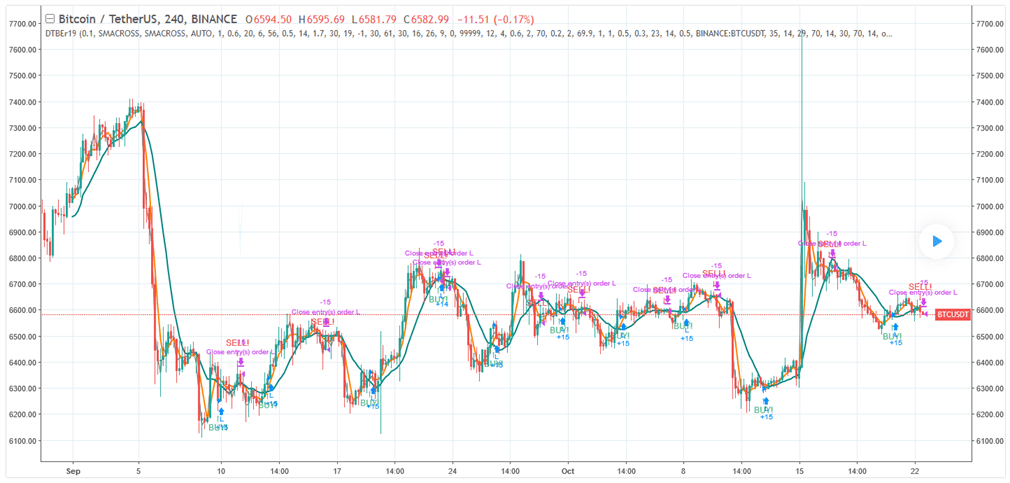
Example of how trading with this strategy can perform. See details and settings on TradingView.
The infographic below describes what triggers trades with this strategy.
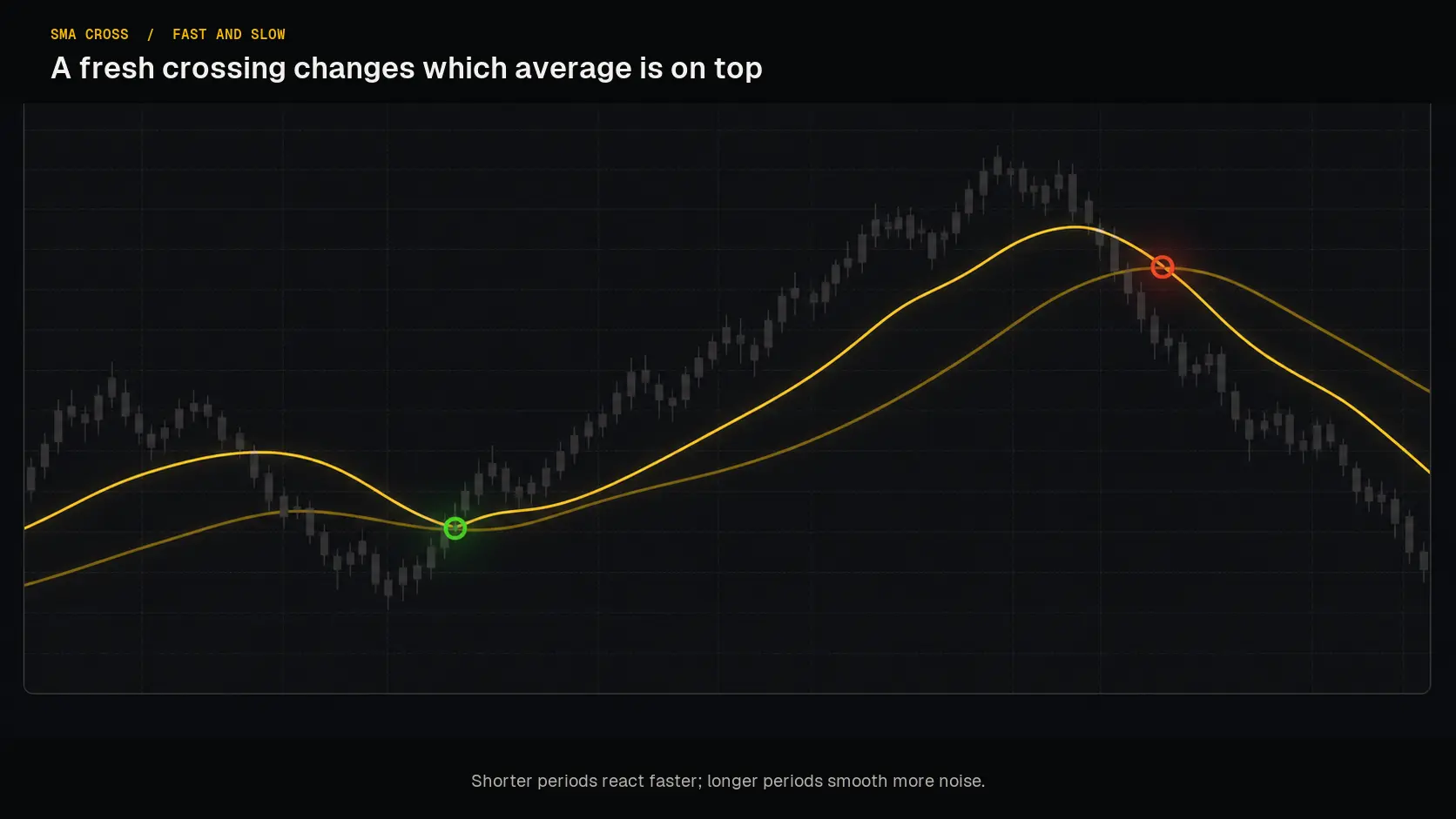 A fresh crossing changes which SMA is on top; the fast and slow periods control how quickly that can happen.
Strategy Settings for SMACross
Buy Settings
| Label | Config Parameter | Default Value | Detailed Description |
|---|---|---|---|
| Buy Enabled | BUY_ENABLED | true | Enables or disables buy or long orders within the strategy. |
| Single Buy | SINGLE_BUY | false | Restricts the strategy to execute only one buy order at a time. |
Sell Settings
| Label | Config Parameter | Default Value | Detailed Description |
|---|---|---|---|
| Sell Enabled | SELL_ENABLED | true | Enables or disables the ability to make sell or short orders. |
| Double Check Gain | DOUBLE_CHECK_GAIN | true | Ensures that a position has achieved a positive gain before it is sold. Disable this to allow a sale even at a loss. |
| Gain | GAIN | 1 | The target gain above break-even, set as a percentage. The default is 1%, and it can be adjusted between 0.1% and 5%. |
| Count Sell | COUNT_SELL | 9999 | Specifies the maximum number of sell orders that can be executed for a pair before the pair is disabled. This can be set from 1 to 999999, with the default at 9999. |
Indicators
| Label | Config Parameter | Default Value | Detailed Description |
|---|---|---|---|
| Period | PERIOD | 15 minutes | Determines the candlestick size used for indicator calculation. Choose a value supported by your exchange. Default is 15 minutes. |
| Slow SMA | SLOW_SMA | 20 | Defines the number of candles used to calculate the slow Simple Moving Average (SMA). |
| Fast SMA | FAST_SMA | 10 | Defines the number of candles used to calculate the fast Simple Moving Average (SMA). |
Overview of Effects on Different Order Types
| Config Parameter | Affected Order Types | Not Affected Order Types |
|---|---|---|
| Buy Enabled | Strategy buy, DCA buy, RT buy, RT buyback | Strategy sell, Stop limit, Close, RT sell |
| Single Buy | Strategy buy | Strategy sell, Stop limit, Close, RT sell, DCA buy, RT buy, RT buyback |
| Sell Enabled | Strategy sell, Stop limit, RT sell | Strategy buy, RT buy, RT buyback, Close, DCA buy |
| Gain | Strategy sell | Strategy buy, RT buy, RT buyback, RT sell, Close, DCA buy, Stop limit |
| Period | Strategy sell, Strategy buy, DCA buy (trigger) | RT buy, RT buyback, RT sell, Close, Stop limit |
| Slow SMA | Strategy sell, Strategy buy | RT buy, RT buyback, RT sell, Close, Stop limit, DCA buy |
| Fast SMA | Strategy sell, Strategy buy | RT buy, RT buyback, RT sell, Close, Stop limit, DCA buy |