Creating an Alpaca API Key for Trading Stocks, ETFs, and Crypto
Set up API access for Alpaca, a multi-asset broker supporting stocks, currencies, and crypto, then connect the credentials to your trading bot (e.g., Gunbot) using its GUI.
Info
Alpaca is a commission-free brokerage platform that provides API access for developers and traders to build applications and automated trading strategies for stocks, ETFs, and cryptocurrencies.
Generating Your Alpaca API Credentials
- Log in to your Alpaca account at https://app.alpaca.markets.
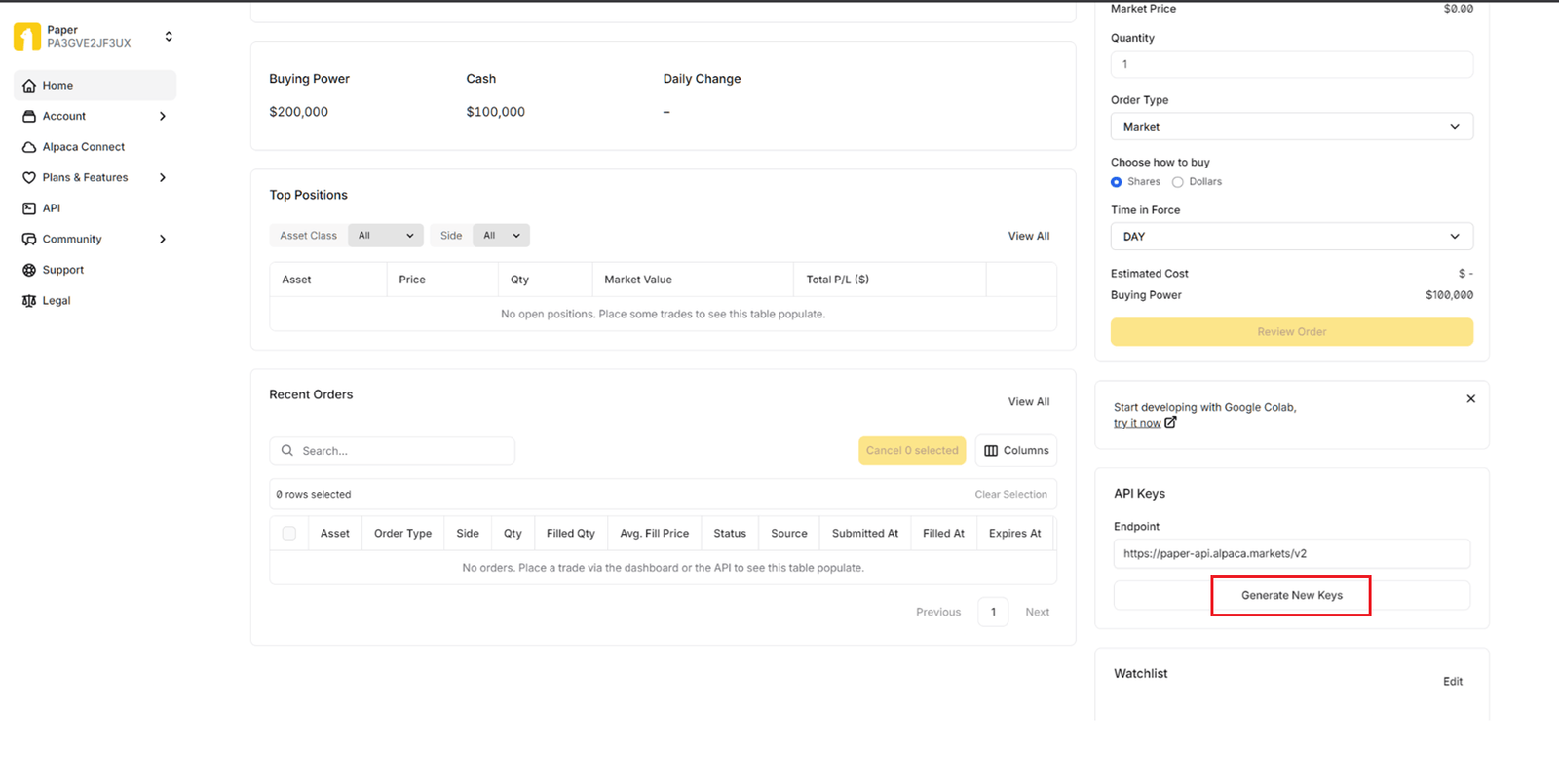
- Scroll down to the API Keys section, typically found on the bottom right of your dashboard.
- Click Generate New Keys.
Your API Key ID and Secret Key will be shown only once upon generation. Save both securely in a password manager or other secure location before leaving or refreshing the page.
Configuring Your Trading Bot
Set up your bot in its GUI using your Alpaca credentials:
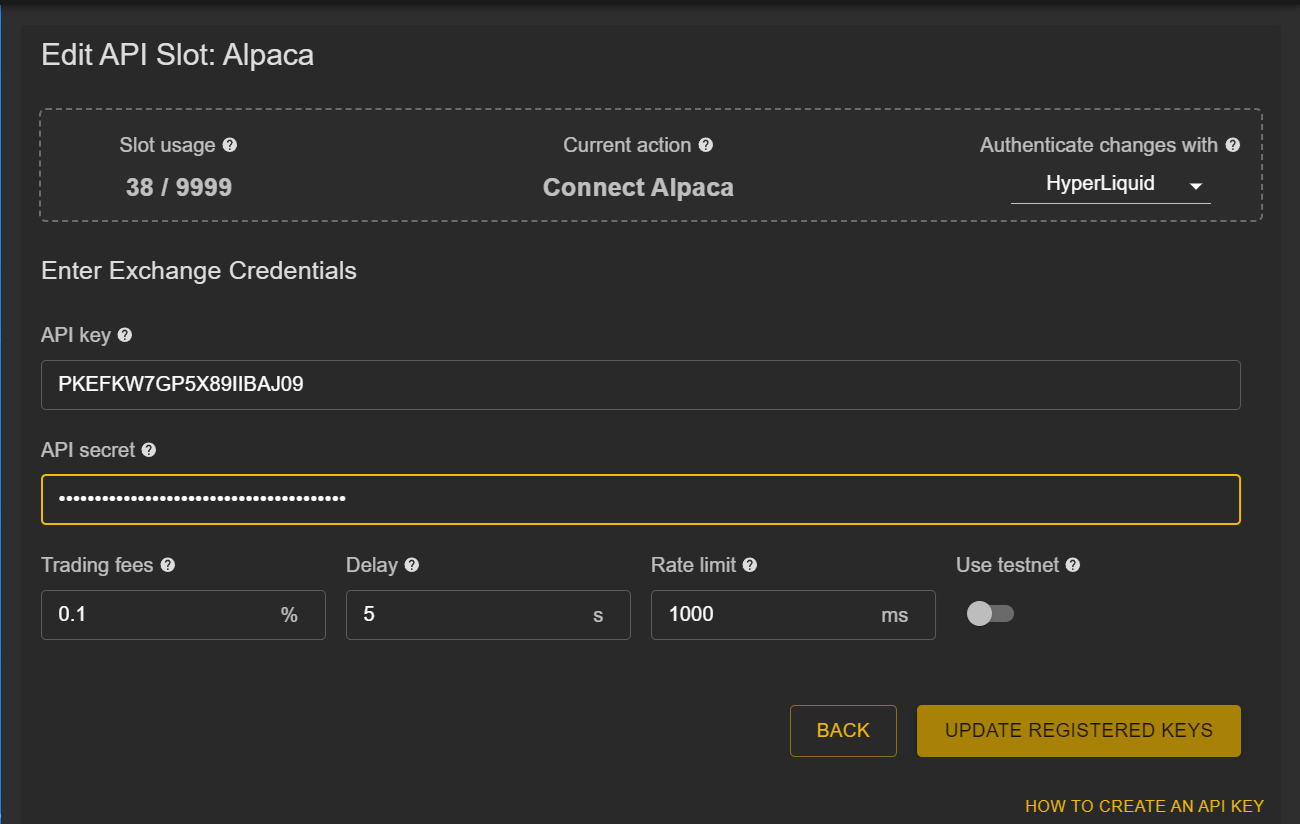
- Access Settings: Open your trading bot's Exchange configuration section.
- Enter Credentials:
- API Key: Enter your Alpaca API Key ID.
- API Secret: Enter your Alpaca Secret Key.
- Save Exchange: Confirm your exchange setup in the bot and proceed to configure your trading settings.
Verification Steps for a Successful Connection
Complete these checks to ensure a working connection:
-
Save Configuration:
- Make sure your API Key ID and Secret Key were saved successfully in your trading bot.
-
Test Connection:
- Add a trading symbol relevant to Alpaca (e.g.,
USD-TSLAfor Tesla stock, or a crypto pair likeUSD-BTC). - Start a trading session or test connection feature if available.
- Monitor for successful price updates and correct balance display in your bot.
- Add a trading symbol relevant to Alpaca (e.g.,
Important Notes
- You can trade stocks, ETFs, or crypto from the same Alpaca account using these API keys.
- Always protect your Secret Key and avoid exposing it in public repositories or shared files.
- Consider using Alpaca's Paper Trading mode for testing your bot and strategies before committing real funds to live accounts.
For more detailed information, visit the official Alpaca API Documentation.