Exchange Connection Settings
Connect Gunbot to an exchange before you start trading. This page explains the settings you will see when you add a new exchange connection.
Info
An API (Application Programming Interface) key is a unique identifier used to authenticate a user, developer, or calling program to an API. Exchanges provide API keys to allow external applications like Gunbot to access account information and execute trades.
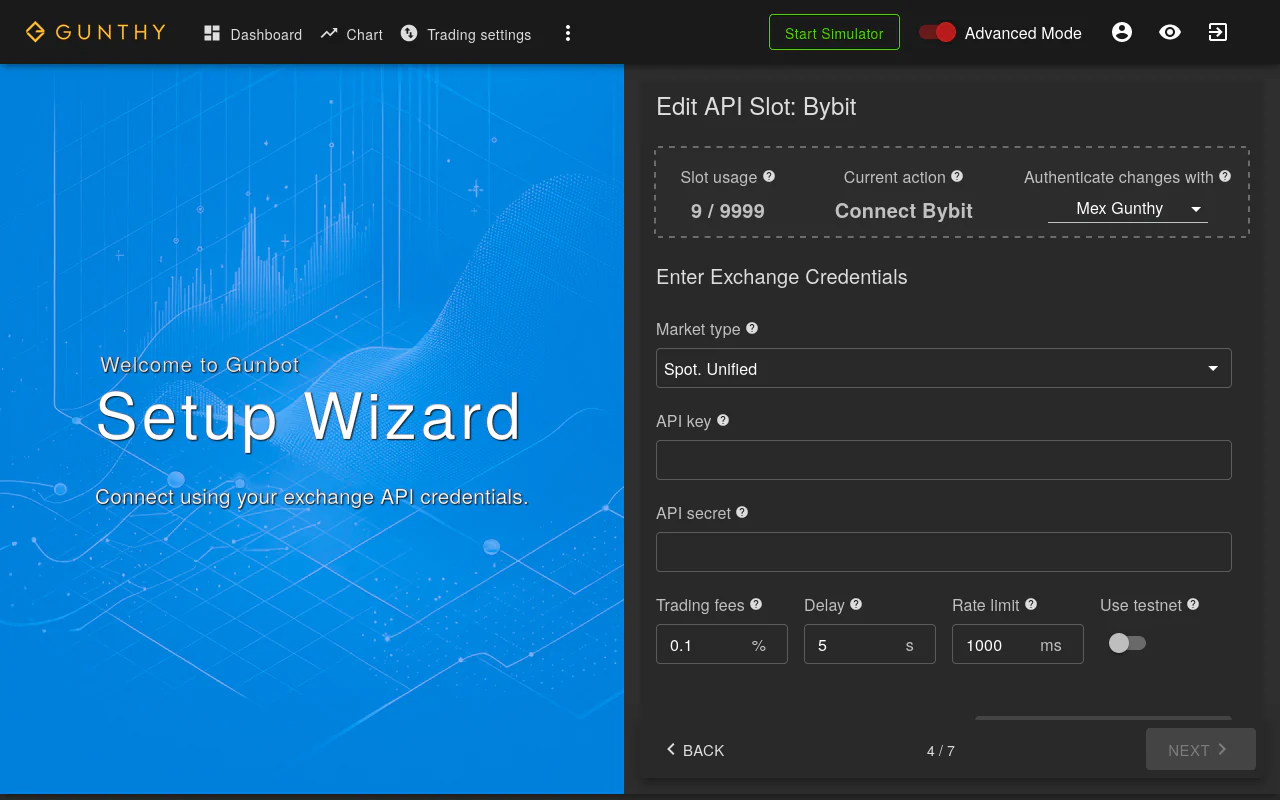
Detailed Settings Overview
Use the descriptions below when filling in exchange connection fields.
| Setting | Description |
|---|---|
API Key | Your exchange API key. |
API Secret | The secret for your API key. Keep this secure. |
Processing Delay | Interval in seconds between processing trading pairs. A common value is 10; adjust if the exchange requires it. |
Rate Limit | Wait time in milliseconds between API requests. Increase to slow cycling and reduce request frequency. |
Trading Fees | The trading fee percentage for your exchange, used for profit calculations. |
Passphrase (for certain exchanges) | Required by some exchanges, this passphrase complements your API key. |
Client ID (for certain exchanges) | An additional identifier required by some exchanges, alongside your API Key and Secret. |
Market (for certain exchanges) | Select the market type (e.g., spot, swap, delivery, futures) if the exchange requires it. |
testnet (for certain exchanges) | Enable this to use a testnet API key for the selected exchange. |
Advanced Configuration
You can use a master/slave API key setup to trade with a different key than the one registered to your license. Configure this in config.js or in Gunbot's code editor. The master API key must match your license, and the slave key must come from the same exchange account.