Managing API Slots in Gunbot
Info
API slots in Gunbot represent the number of simultaneous exchange connections your Gunbot license supports. Each slot lets you connect to one exchange API.
Gunbot's API slots are used for connecting to exchanges. This guide walks you through managing those slots.
Open the Overview Page
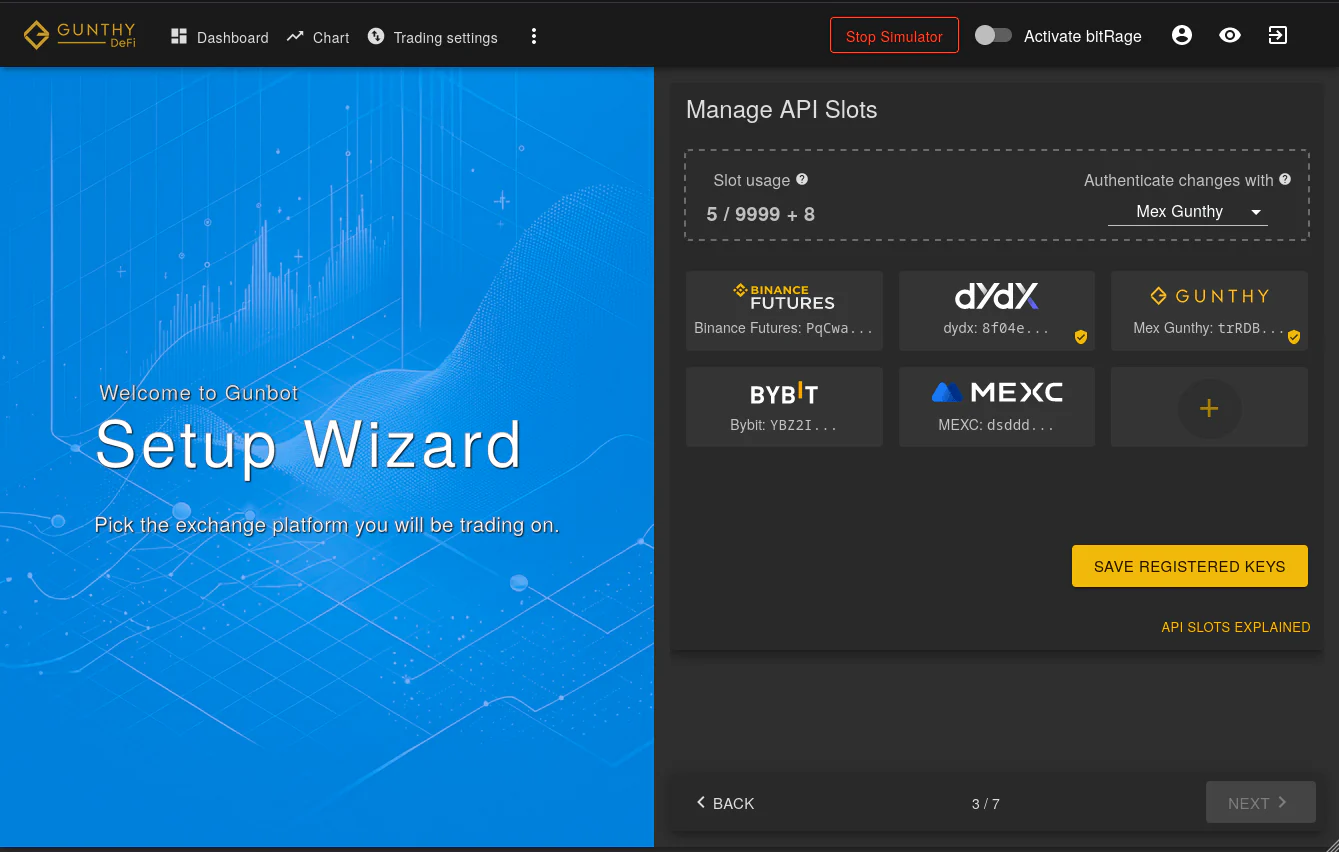
The overview page is where you manage your API slots. Here, you'll find options to:
- Edit: Adjust settings for a registered exchange.
- Remove: Delete a key from your slots, also removing related trading pairs from settings.
- Archive: Save credentials in an archive for future use. This frees up the slot.
- Add New: Register a new exchange if a free slot is available.
Before finalizing changes, select an active exchange to authenticate the request. Even if you just removed an exchange from a slot, you can still use it for authentication. Changes are only saved after the API slot update succeeds.
Notes
Authenticating changes with an existing exchange connection is required for security.
Purchasing additional Exchange Slots lets you add the same exchange multiple times.
How to Edit API Slots
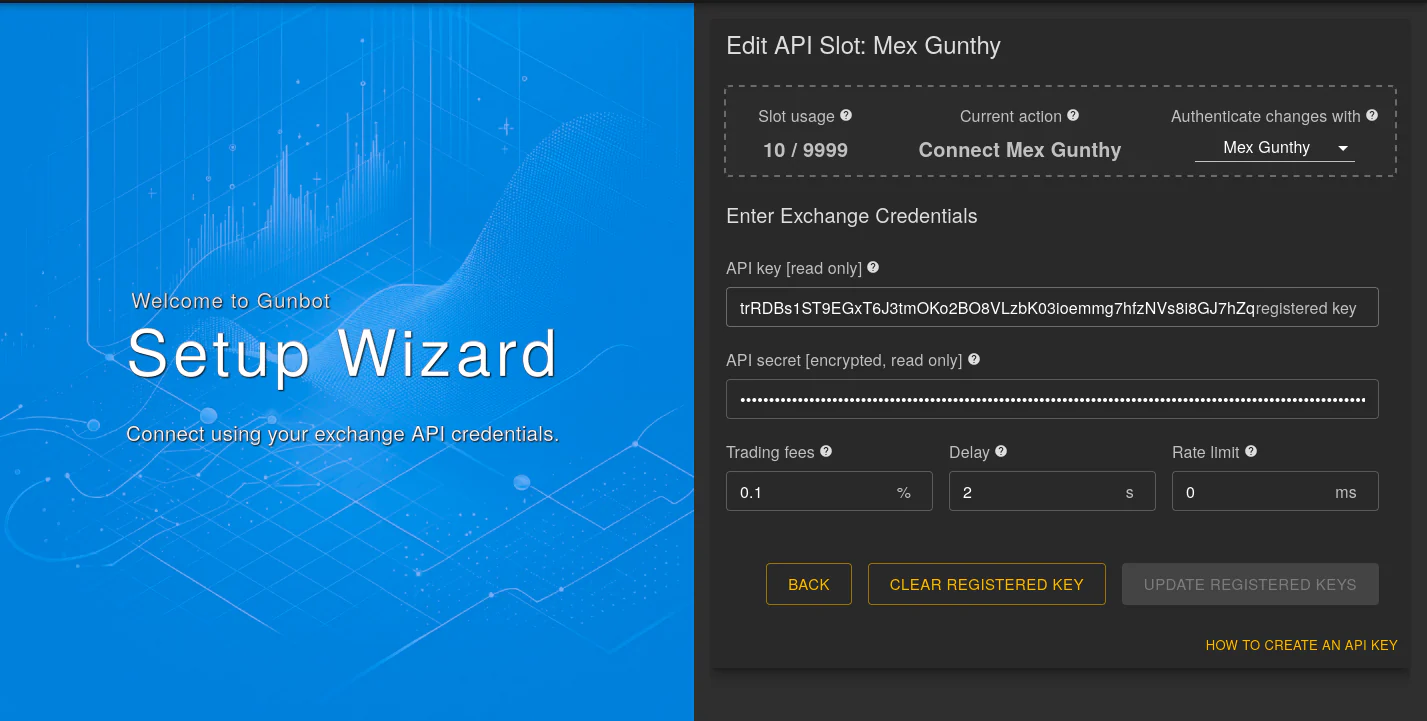
Editing an API slot involves filling in the necessary fields for exchange connection. Changes are saved after successful authentication.
Editing Options:
- Clear Registered Key: To use a new API key for the exchange.
- Clear Archived Credentials: To remove pre-filled archived credentials and allow you to enter new data.
No Access to a Working Exchange Anymore?
If there are no working keys left in your Gunbot installation, contact support to register a working key.