Choose a strategy
Gunbot includes several strategy styles. Start by choosing the kind of trading behavior you want to test, then use the strategy page for its exact settings and behavior.
Browse the strategy library
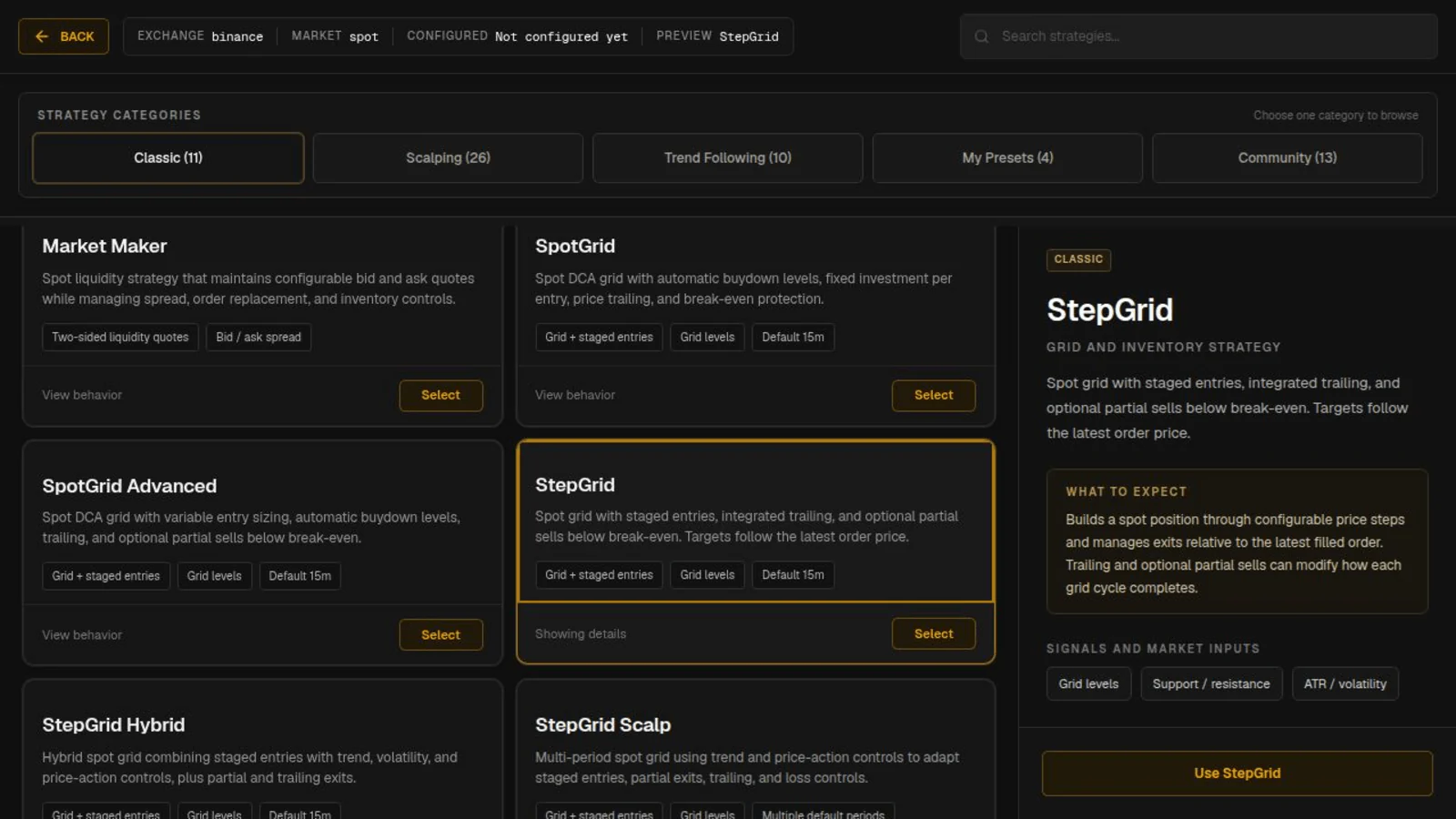
The Gunbot Live strategy selector groups strategies into Classic, Scalping, Trend Following, My Presets, and Community.
Each strategy preview shows a short description and its main inputs. Select Detail: full or open the linked strategy page for complete behavior and settings.
Common strategy types
Grid strategies
Grid strategies place trading activity around price levels and are designed to keep working through repeated market movement.
Start with the GridBots overview and the SpotGrid strategy. SpotGrid Advanced adds more control over grid behavior.
StepGrid strategies
StepGrid strategies buy and sell in steps and can build a spot position over multiple orders before selling part or all of it according to the strategy rules.
StepGrid is an approachable place to start because its main behavior is easy to see in backtests and on the Chart. StepGrid Hybrid and StepGrid Scalp provide different variations of the same general family.
Strategy Builder
Use the Spot Strategy Builder when you want to combine Gunbot's entry, exit, indicator, trailing, and DCA methods without writing JavaScript strategy code.
Scalping and trend-following strategies
The Scalping and Trend Following tabs group included strategies by trading style. Open a strategy preview for its summary, then follow its documentation link for the exact rules and settings.
The Extended Strategy Collection is the overview for the additional included strategies in these categories, with links to pages such as Super Scalping and Supertrend Breakout Zone.
Trading limit and maximum investment
Two balance settings appear across many spot strategies.
Trading limit is the notional value of a typical buy order. On USDT-BTC, a trading limit of 100 normally means a buy worth about 100 USDT.
Maximum investment usually caps the total notional size of the position the strategy can build. This becomes important when a strategy can buy several times while it holds BTC.
For example, a 100 USDT trading limit does not mean the pair can only ever use 100 USDT. If the strategy is allowed to make several buys, the position can grow until its own limits, including maximum investment where available, stop further accumulation.
See Understanding balance settings for the detailed balance settings used by Gunbot strategies.
Gunbot unit cost
Unit cost is Gunbot's own spot accounting value for the BTC you still hold on a pair. It is the price where selling all remaining BTC would return the amount Gunbot has spent to acquire those remaining units, including the configured buy and sell fees.
Gunbot keeps this calculation across long trading sequences with many buys and sells. Partial and full sells change which units remain in the position, and Gunbot continues tracking the break-even level for the remaining holdings.
For futures, the comparable value is average entry price. The exchange provides that value for the current single futures position. Gunbot unit cost is a separate spot calculation that keeps accounting across the pair's sequence of buys and sells.
Gain and partial gain
When a spot strategy uses gain, the target is normally calculated above the current Gunbot unit cost.
Some strategies also support partial gain. Gunbot can calculate a profitable exit for only the unsold units bought below the current price, which lets the strategy sell part of a position while the main unit-cost calculation continues tracking the remaining holdings.
Check the individual strategy page for the exact gain behavior because strategies can apply these concepts differently.
Starting balances on spot
A typical USDT-BTC spot setup starts with USDT. The strategy spends USDT to buy BTC, then later sells BTC back to USDT according to its exit rules.
Some strategies support different balance flows, so check the strategy page before assuming every setup starts the same way.
Backtest the strategy
Open Backtesting, choose a market, select the strategy, and run a historical period you want to test before you add the pair to a running bot.
Backtesting shows the sequence of buys and sells, position growth, drawdown, fees, and final result. Test a few different periods so you can compare how the strategy behaves under different market conditions.
See Backtesting for the full workflow.
Presets, community strategies, and the leaderboard
My Presets contains configurations you saved for reuse.
The strategy library can also show separately licensed strategies built by Gunbot community developers. These can save setup time when you want the developer's opinionated trading model, but they are separate products from the included strategies.
Gunbot also has a public strategy leaderboard with shared results and configurations. Backtest imported settings on the markets and periods you plan to use before applying them to a trading bot.