How Gunbot Live works with Gunbot
Gunbot runs the trading logic and talks to exchanges. Gunbot Live is the interface for configuring, testing, monitoring, and controlling Gunbot.
Hosted or self-hosted Gunbot Live
Hosted Gunbot Live is the easiest way to open the workspace from different locations and manage several Gunbot installations together. It can also run supported strategy backtests on Gunbot servers without adding load to the Gunbot installation that trades.
For a fully local setup, Gunbot Live is included in the main Gunbot download. Open it locally and use the same trading controls without another download.
You can also make a local Gunbot Live installation available remotely if that suits your setup. Hosted Gunbot Live avoids the extra remote-access setup.
Closing Gunbot Live does not stop Gunbot
A running Gunbot installation keeps running when you close the browser. Use the Gunbot start/stop control when you want to stop trading on that installation.
Switch between Gunbot installations
The bot selector in the top bar switches Gunbot Live between your connected Gunbot installations.
Each installation has its own exchange secrets, configured pairs, strategy settings, running state, simulator setting, AutoConfig jobs, custom strategy files, logs, and trading data.
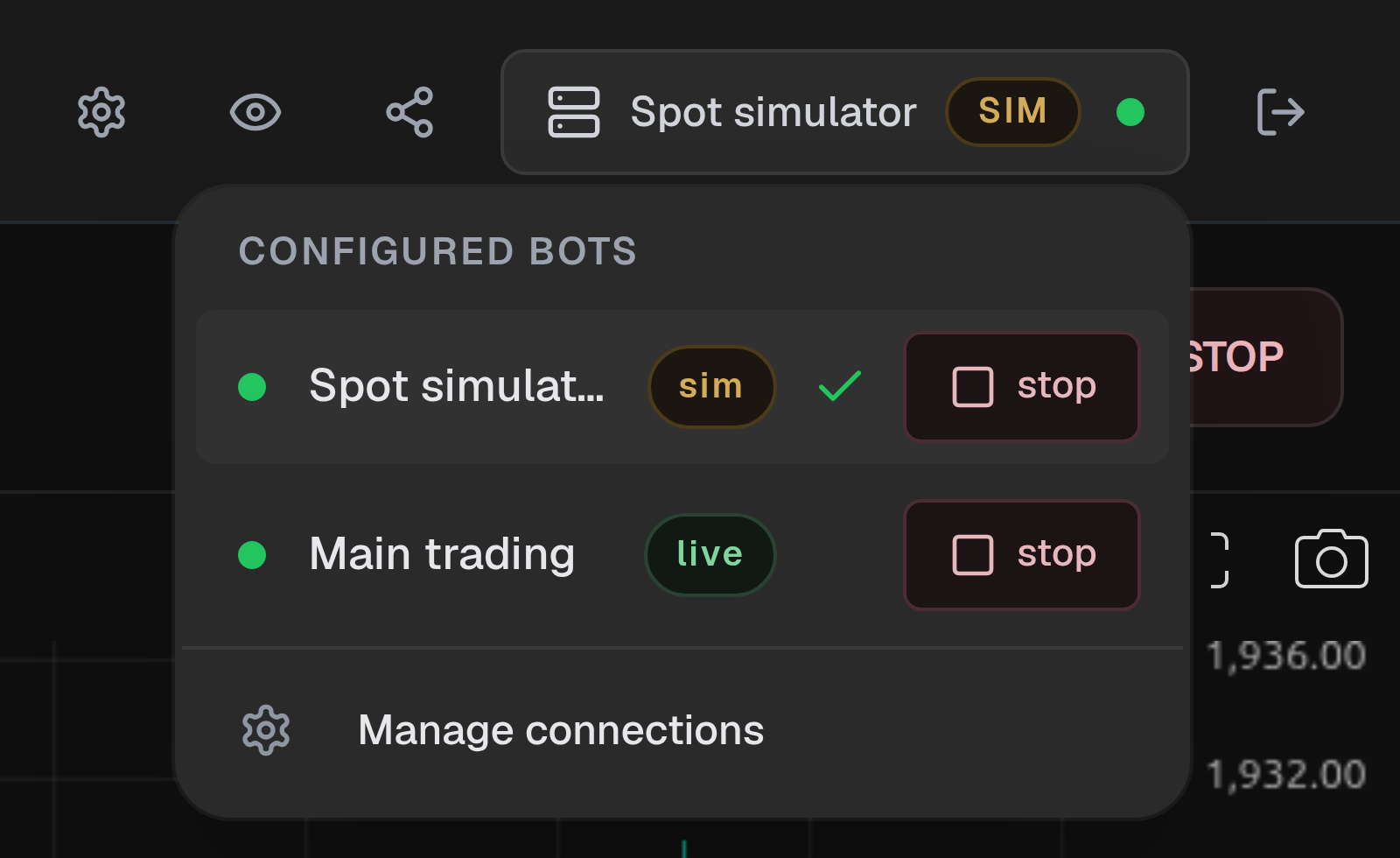
For most setups, keep one real-trading bot and one spot simulator. Extra installations are available when you want to separate exchanges or larger workloads.
Exchange API keys and secrets
Before Gunbot can trade an exchange account, register its public API key to the Unlimited license and configure the secret credentials on the Gunbot installation that will use it.
Registered public API keys are shared across all Gunbot installations using the same Unlimited license wallet. Secrets and exchange-specific credentials stay configured per installation.
The startup wizard registers the first public API key on a new license. Add its secret in Settings > License after registration.
Gunbot Unlimited does not limit the number of registered API keys. Separate keys for separate bots are usually easier to manage.
See Connect an exchange.
Pairs and strategies
A configured pair combines an exchange account, market, strategy, strategy settings, and enabled state.
Gunbot writes spot pair names as BASE-QUOTE, with the spending currency first and the traded coin second. For example, USDT-BTC uses USDT to buy BTC. On derivatives exchanges that keep separate long and short positions, Gunbot may show USDT-BTC-LONG and USDT-BTC-SHORT.
The strategy decides how Gunbot trades the pair. Its settings cover things such as order size, position limits, grid spacing, targets, indicators, candle periods, and trailing behavior.
Start with the strategy behavior and its main balance settings. The strategy chooser links to the detailed page for each main strategy family.
Running bots and enabled pairs
The bot and pair controls work independently:
- Running bot: Gunbot processes its configured pairs.
- Stopped bot: trading is paused for that Gunbot installation.
- Enabled pair: the strategy can run while the bot is running.
- Disabled pair: the configuration stays saved and Gunbot does not trade that pair.
An enabled pair can run normally without placing an order. Strategies often wait for their entry, exit, trailing, or indicator conditions.
Open the Chart for the current market, holdings or position, targets, active orders, and fills.
Dashboard and Chart
The Dashboard shows activity and performance across selected pairs and a selected date range.
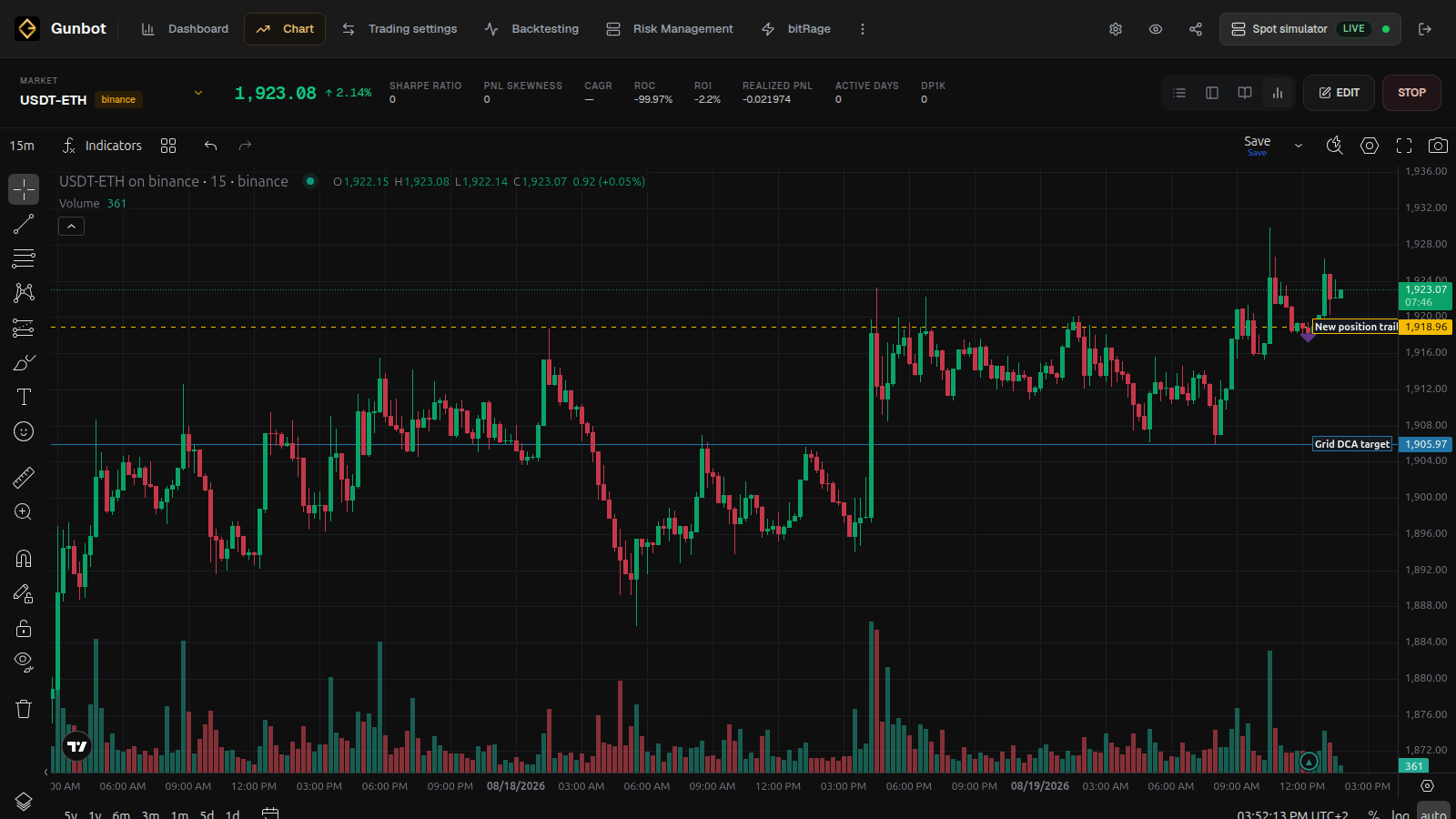
The Chart shows one market in detail, including candles, current trading state, strategy information, orders, and pair settings.
Backtesting, Simulator mode, and real trading
Backtesting replays historical market data for Gunbot spot and futures strategies, including custom JavaScript strategies. Use it for quick strategy checks and repeatable settings comparisons. Historical data is available for fewer exchanges than live trading, so you may need to test the same market on another available data provider.
Simulator mode runs a complete spot Gunbot installation with current market data, virtual balances, and simulated order execution. Keep a Spot simulator connection available for forward testing.
Real trading sends orders to the configured exchange account and uses real balances or positions.
If you are trying a strategy for the first time, start with Backtesting. You can then use Simulator mode for spot forward testing, or add the reviewed setup to your separate real-trading bot.