Review trades and keep notes
Use Order History to review what executed. Use Trading Notes to keep short notes about changes, tests, or market conditions you want to remember later.
Order History
Open Order History from the Chart and select the pairs or period you want to review.
The table can include timestamp, pair, exchange, side, price, amount, total, and profit and loss (P&L) where available. Filters and search help narrow a larger history.
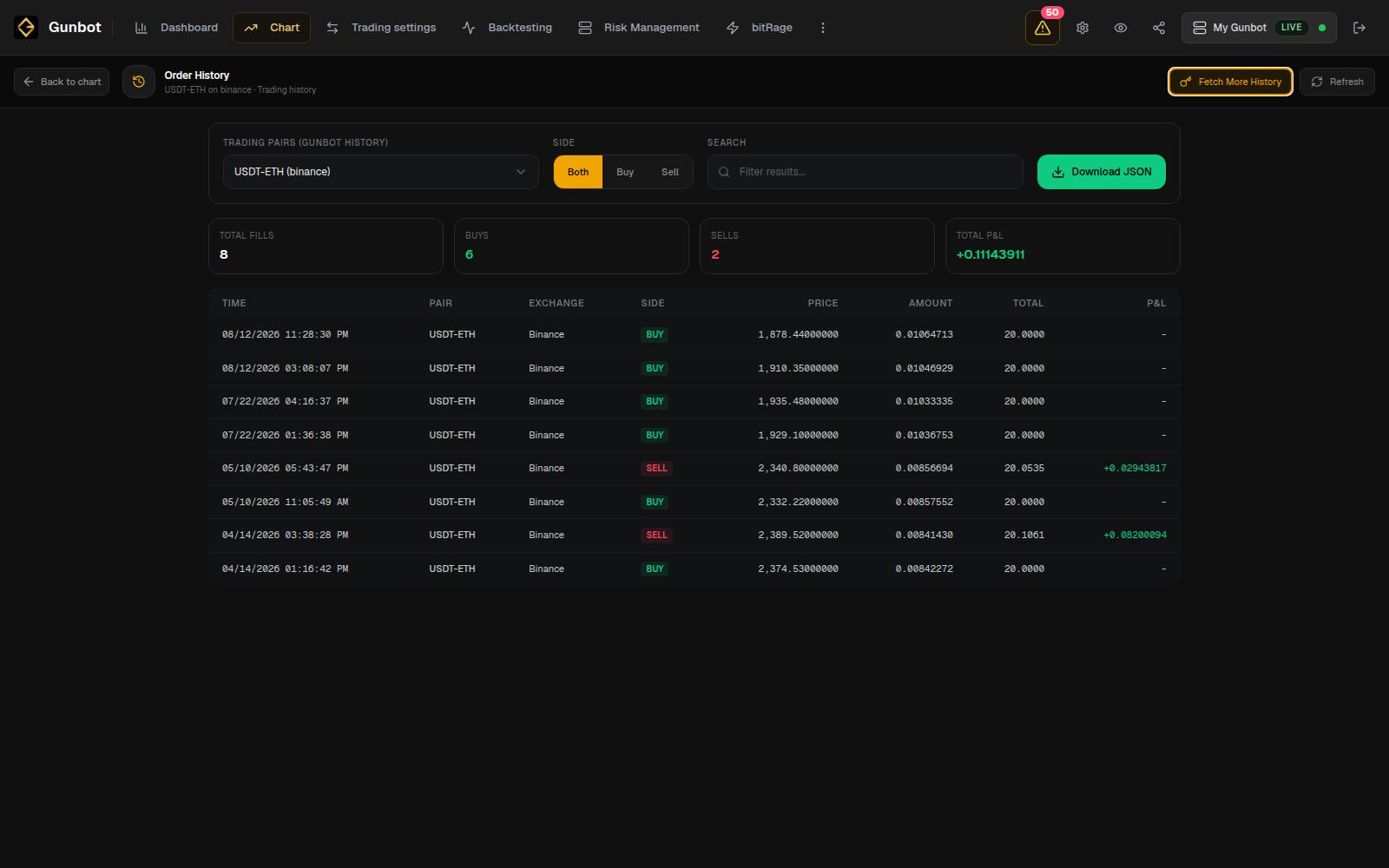
When a Dashboard result needs more detail, filter the history to the pair and date range first. Then open the same pair in Chart if you want to compare the fills with price action, strategy targets, and the current state.
Export or fetch more history
Download JSON exports the available order history for your own analysis or archive.
Order History also has an optional additional-history fetch for supported exchanges when the period you need is not already available in Gunbot. You normally do not need this for everyday review.
Trading Notes
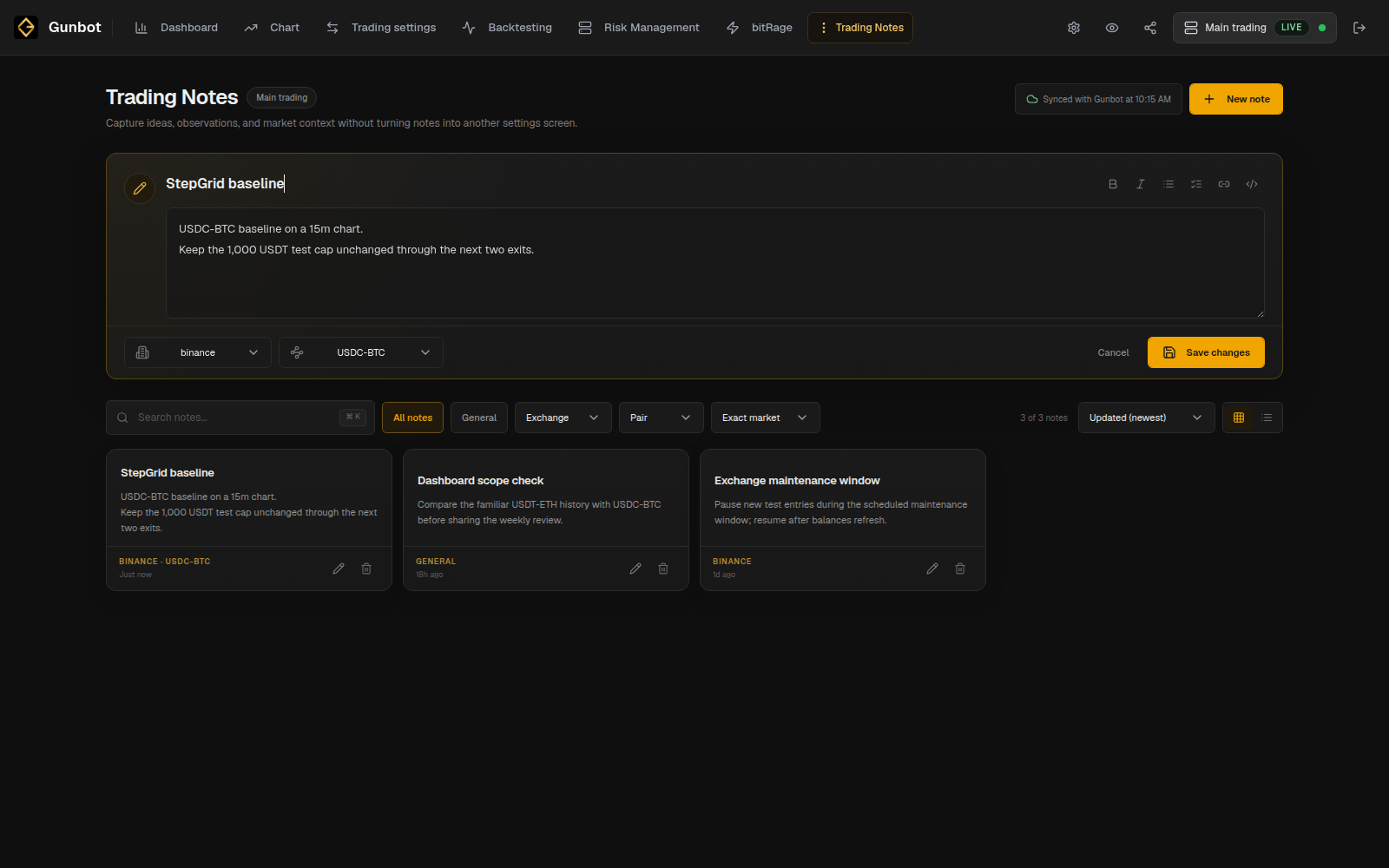
Trading Notes can store information with the Gunbot instance, an exchange, a symbol, or an exact exchange and pair.
Examples include:
- a strategy or balance-setting change
- the reason for starting a simulator test
- the date you began comparing a new configuration
- an account or market condition you want to remember later
For example:
StepGrid BTC baseline
Reduced trading limit before adding three more spot pairs.
Run through the next two volatile sessions before changing grid spacing.
Note scopes
Use the scope that matches the note:
- Instance: information about the whole bot, such as
Permanent spot simulator. - Exchange: information about one connected account.
- Symbol: information that applies to the market across exchanges.
- Exact pair: information about one configured exchange and pair.
The scope becomes part of the saved note and makes the notes library easier to filter later.
Saving notes
Select Save changes to store the note with the current Gunbot installation. If the bot is offline, the editor status shows whether the note can be saved to Gunbot.
Record configuration changes
For a strategy test or larger configuration change, a short note with the change, reason, and start date is usually enough. Later you can compare that note with Order History, Dashboard results, a saved backtest, or the simulator period you ran.