Develop custom strategies in Gunbot Live
Custom strategies let you write your own JavaScript trading logic while Gunbot handles exchange connections, market data, orders, pair state, and the rest of the trading environment.
Start with the Custom Strategies overview if you have not created a Gunbot strategy before.
Edit and test a custom strategy
A typical development loop is:
edit -> save -> attach to a pair -> test -> inspect -> revise
For spot development, a dedicated simulator instance gives you a reusable forward-testing bot with current market data and simulated execution.
Select the Gunbot instance
Code Editor works with files on the Gunbot instance selected in the top bar.
If you have a simulator and a real-trading bot, each installation has its own strategy files and configuration. Check the selected instance before you edit or save a file.
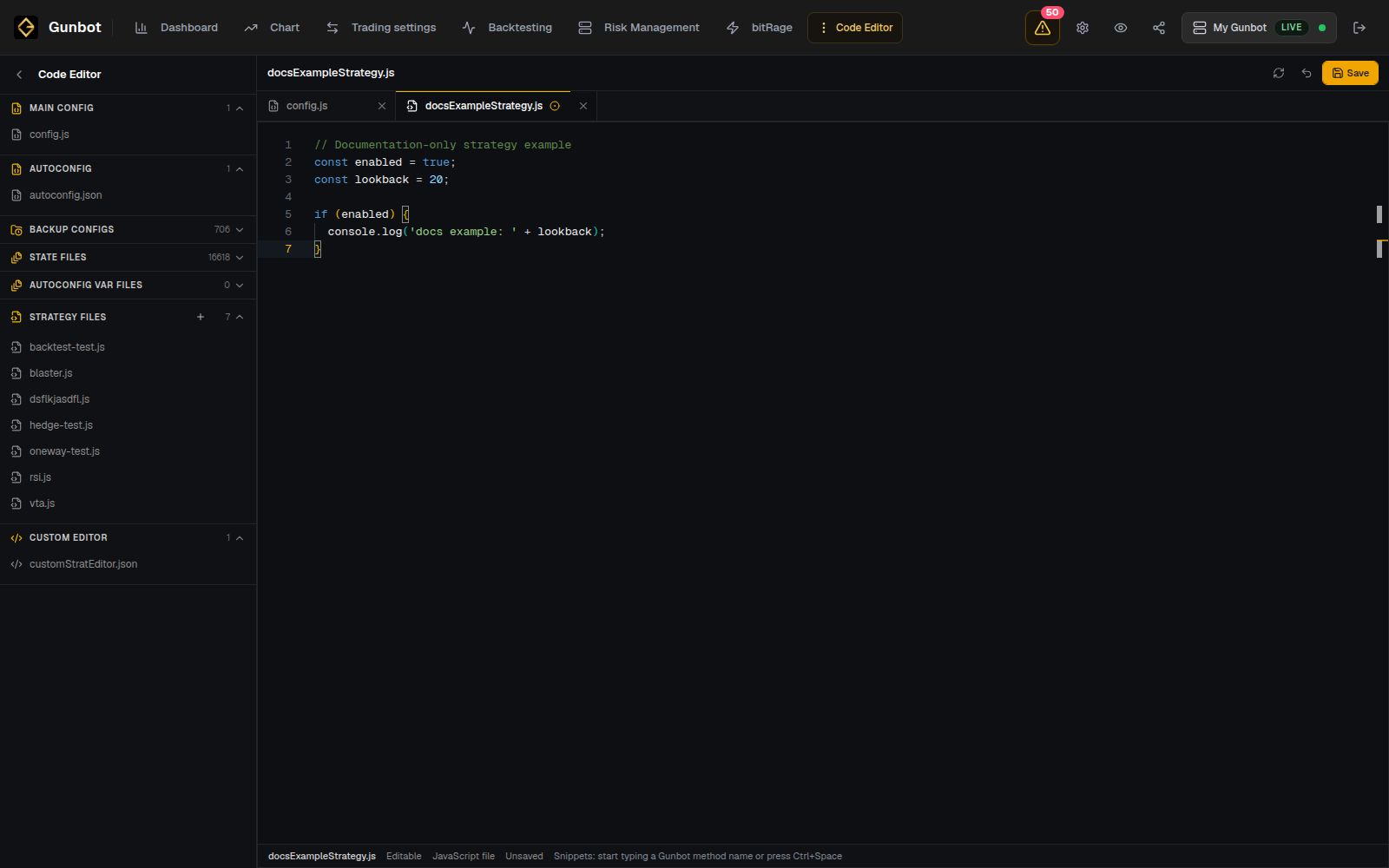
Custom strategy files
Custom strategy JavaScript files live in the customStrategies directory of the Gunbot installation.
Code Editor lets you open and save those files from Gunbot Live. You can also edit the same files with your own development tools if you prefer.
Use these pages for the strategy structure and API:
- What are custom strategies?
- Create and run a custom strategy
- Market and position data
- Methods and modules
Other files in Code Editor
Code Editor can also show files such as config.js, AutoConfig JSON, backups, state files, AutoConfig variable files, and customStratEditor.json.
Edit pairs and strategy settings from Trading settings, and edit AutoConfig jobs from AutoConfig. Open the underlying files when you need to inspect or edit their raw JSON or code.
Some backup, state, and AutoConfig variable files are available only for inspection.
Save strategy changes
The editor shows unsaved changes and warns before you leave with edits outstanding.
Save complete changes that are ready to run. If a custom-strategy pair is active on the selected instance, a saved source change can affect live strategy execution.
For larger development projects, keep the strategy source in version control as well. That gives you a clear history of the exact code used for each test.
Custom strategy code can place real orders
On a real-trading instance, trading methods in your strategy can send real exchange orders. Check the selected Gunbot instance before you run changed code.
Attach a custom strategy to a pair
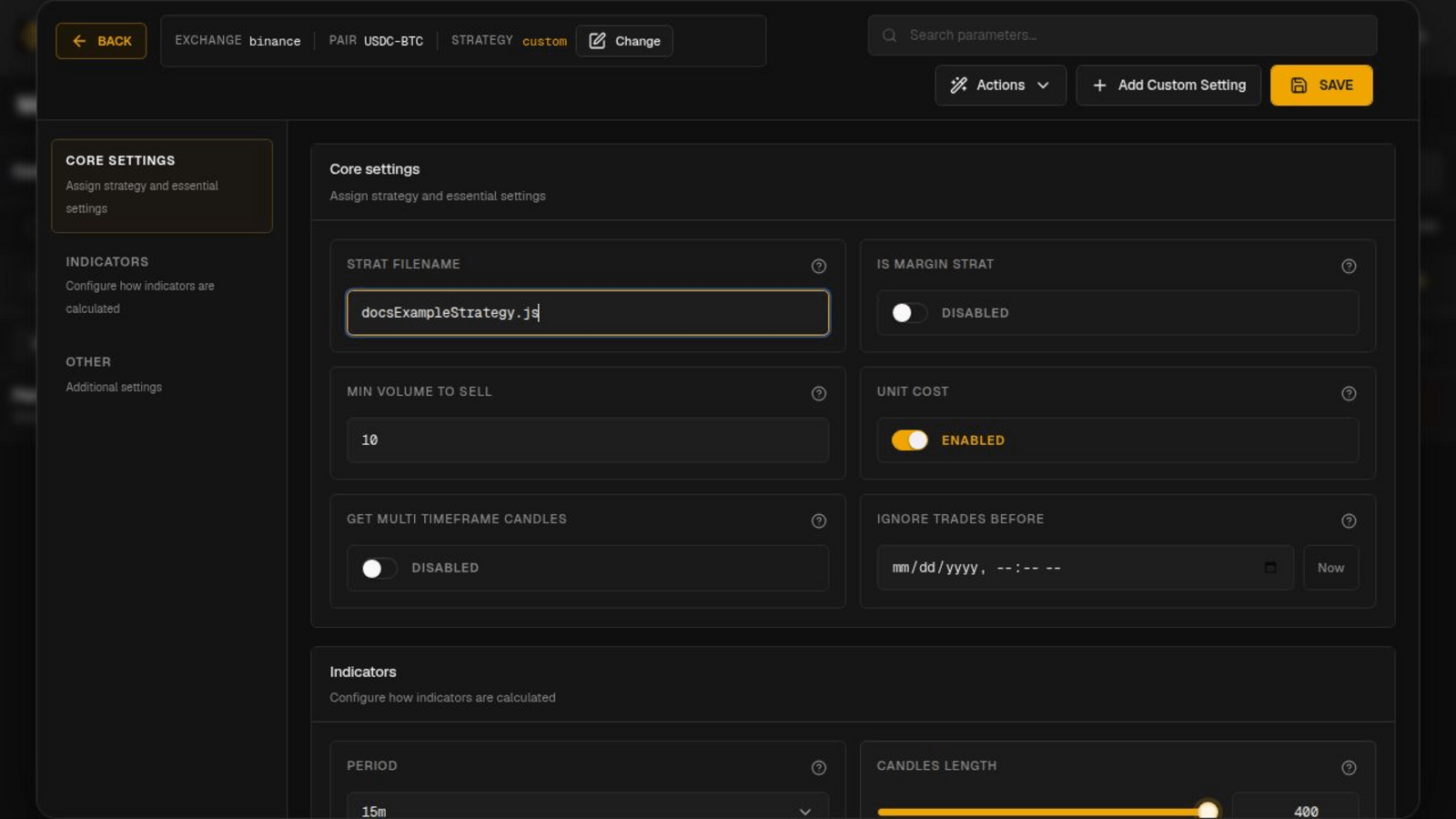
Open Trading settings, create or edit a pair, and select the custom strategy file.
The pair supplies the exchange, market, settings, and current trading state used by the strategy.
If your strategy defines controls for the Gunbot interface, those settings can appear in the regular pair editor. See Control custom strategies from the GUI.
Display strategy logs, stats, and targets
Custom strategies can expose information that makes testing and troubleshooting much easier:
Log the conditions and values that help explain a decision. For example:
Entry skipped: signal passed, but a position is already open
Prefer concise decision logs like this over printing a large object on every strategy cycle.
Backtesting
Use Backtesting when the strategy and its dependencies work in the backtesting environment. Run the same historical period while you compare code or parameter changes.
External APIs, timing dependencies, cross-market logic, and some live execution details may not reproduce in a historical test.
Spot forward testing
Use a dedicated simulator instance for real-time spot testing.
The full Gunbot instance runs in Simulator mode with current market data, pair management, Chart, Order History, AutoConfig, custom logs, virtual balances, and simulated orders.
Keep the simulator available for later revisions. When you want to use a tested setup with real funds, add the strategy file and pair configuration to the separate real-trading instance.
Debug Logs
Start with the Chart plus any custom stats, targets, and logs your strategy exposes. Open Debug Logs when you need more detail about a specific strategy cycle.
Filter your investigation around the pair and time you care about. Custom logs that name the condition being evaluated make this much easier.