How to Install Gunbot on Linux
note
This guide, written for Ubuntu 22.04.1 server, provides step-by-step instructions for setting up Gunbot on Linux. While the focus is on Ubuntu, the steps are largely applicable to other Linux distributions. Desktop users can follow along using their integrated terminal.
Info
Linux is a family of open-source Unix-like operating systems based on the Linux kernel. A command-line interface (CLI) is commonly used for server management.
Basic Linux Instructions
Download Linux → Full Install from the Gunbot downloads page. Extract gunthy_linux.zip on your computer.
In the terminal, navigate to the Gunbot folder and set permissions:
cd /home/Gunbot
chmod +x gunthy-linux
Then start the process:
./gunthy-linux
Access the Gunbot GUI at http://localhost:3001.
Setting Up a Virtual Private Server (Optional)
For VPS users, here are some popular choices among Gunbot users:
After signing up and ordering a Linux VPS, you'll receive server access details.
Prerequisites for VPS Setup
For Windows:
For MacOS:
Connecting to Your Virtual Private Server
Connecting on Windows
Use PuTTy to connect to your VPS. Enter your Server IP in the "Host Name" field and click "Open."

Accept any security prompts on the first connection. Log in with your VPS credentials.
Connecting on MacOS
Connect using the Terminal:
ssh root@YOUR.IP.ADDRESS.HERE
Enter your server password when prompted.
Configuring the Virtual Private Server (Optional)
Update Your Virtual Private Server
Run the following command:
apt-get update && apt-get upgrade -y
Install NodeJS and PM2 on VPS
PM2 keeps the bot process alive when you are not logged into the server and provides logging capabilities.
Install necessary packages and NodeJS:
sudo apt-get install -y ca-certificates curl gnupg
sudo mkdir -p /etc/apt/keyrings
curl -fsSL https://deb.nodesource.com/gpgkey/nodesource-repo.gpg.key | sudo gpg --dearmor -o /etc/apt/keyrings/nodesource.gpg
echo "deb [signed-by=/etc/apt/keyrings/nodesource.gpg] https://deb.nodesource.com/node_18.x nodistro main" | sudo tee /etc/apt/sources.list.d/nodesource.list
sudo apt-get install nodejs -y
apt-get install npm
In case you run into an error related to common.gypi, the following steps can help:
sudo apt-get remove nodejs libnode-dev
sudo apt-get clean
curl -sL https://deb.nodesource.com/setup_20.x | sudo -E bash -
sudo apt-get install nodejs
sudo dpkg --configure -a
node -v
Install PM2, a process manager:
npm i -g pm2
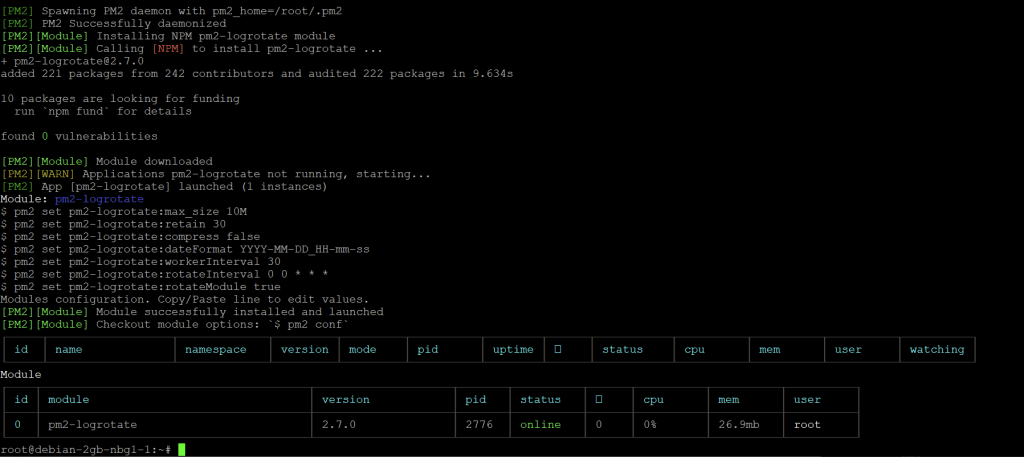
pm2 install pm2-logrotate
Start Gunbot on VPS
Start Gunbot using PM2 (optional) or directly:
pm2 start gunthy-linux
To view Gunbot logs:
pm2 logs 1
Optional PM2 Steps
-
Custom Naming: Give a custom name to your Gunbot instance:
pm2 start gunthy-linux --name YourCustomNameHere -
Auto-restart on Reboot: Ensure Gunbot restarts automatically after a server reboot:
pm2 startuppm2 save
For first-time setup, continue with the Gunbot Unlimited quickstart.