Creating a Crypto.com API Key for Your Crypto Trading Bot
Create an API key on Crypto.com for automated trading and configure it securely for your bot.
Gunbot uses the Crypto.com Exchange API through the crypto API key pair you create in this guide. Treat the crypto bot secret key like a password and store it only in the bot configuration you control.
Info
Crypto.com is a cryptocurrency exchange platform. API keys allow automated trading bots to execute trades on your behalf.
Step-by-Step Guide to Setting Up Your Crypto.com API Keys
-
Log into Crypto.com: Access your Crypto.com Exchange account and confirm that two-factor authentication (2FA) is enabled.
-
Navigate to API Management: Find the 'API Keys' or 'API Management' section in your account settings or profile dashboard.
-
Create a New API Key: Select 'Create a new API key' (or similar) to generate the API Key and Secret Key your bot will use.
-
Configure Your API Key Permissions: Set up these essential permissions:
- Enable trading access (e.g., "Can Trade" or "Spot Trading").
- Enable account information access (e.g., "Read Info" or "View Balances").
- Review any additional options carefully. Keep permissions minimal. Only grant what your bot needs.
-
Secure Your API Key: Implement these security measures:
- Enable IP Whitelisting: Restrict API key access to specific, trusted IP addresses (e.g., your bot's server IP).
- Add your bot's static IP address to the whitelist.
- Set trading limits if the exchange offers this feature for API keys.
- Make sure withdrawal permissions are disabled. This is an important security precaution. These steps reduce the risk of unauthorized access.
-
Finalize API Key Setup: Complete the setup process:
- Review all selected permissions and IP whitelist settings.
- Verify security settings are correctly applied.
- Complete any required 2FA verification to authorize the new API key.
- Confirm via email if Crypto.com requires this step.
- Store your API Key and Secret Key securely. The Secret Key is usually displayed only once.
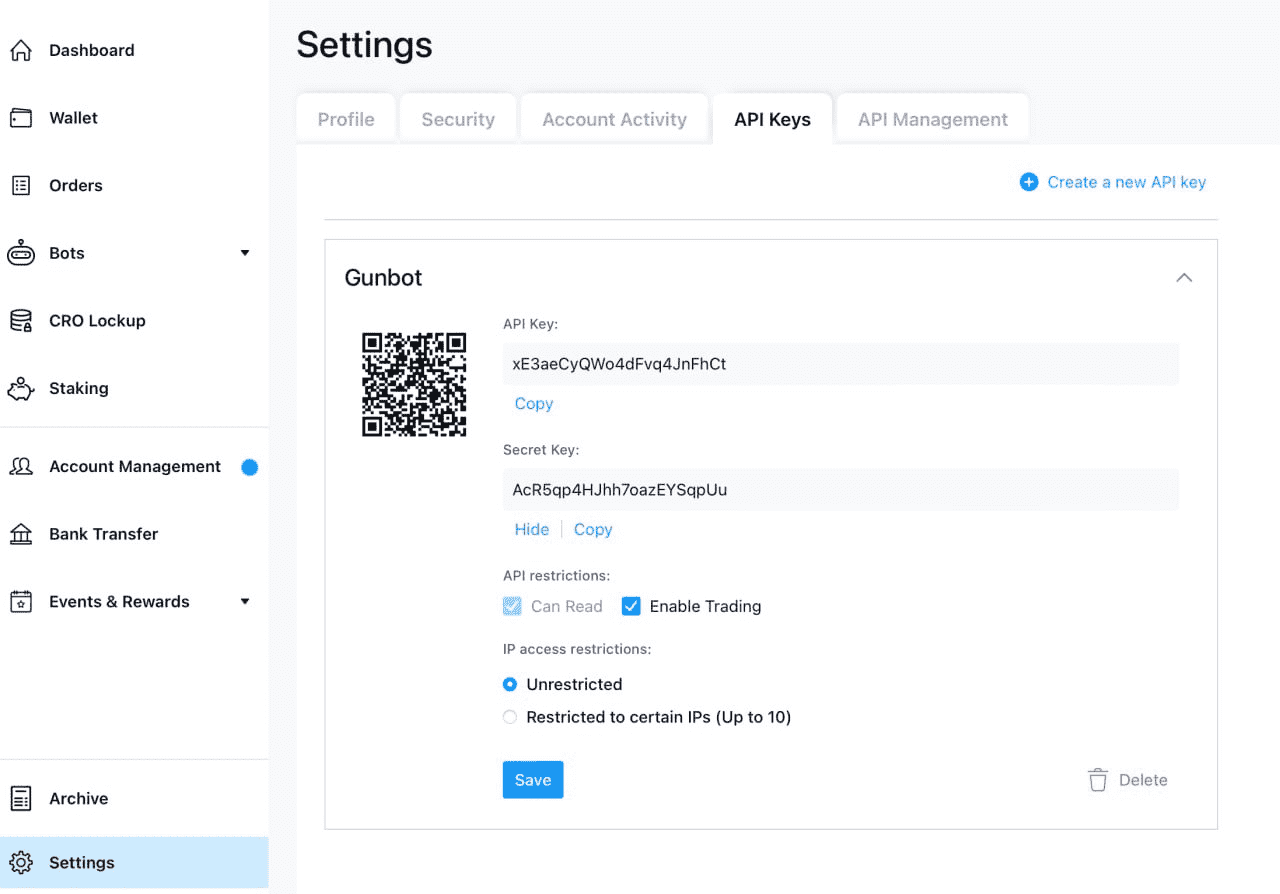
You can usually access your API settings directly via Crypto.com API Management.
A properly configured API key supports reliable automated trading. Review API settings regularly, never share credentials, and use secure channels when setting up your bot.
Ready to Start Automated Trading on Crypto.com?
Transform your trading approach with automated strategies designed for Crypto.com. Explore our Crypto.com Trading Bot features for best performance.