Creating a dYdX v4 API Key for Crypto Trading Bots
Set up API access for dYdX v4 by creating and funding a protocol wallet, then configuring your trading bot with the wallet address and secret phrase.
This dYdX API setup is for v4 credentials. When cross-checking details against the dYdX v4 API documentation, make sure you are using the same network, wallet, and account type shown in your Gunbot configuration.
Info
A decentralized exchange (DEX) lets users trade directly from their wallets without a central authority. dYdX v4 is a DEX.
Funding the Wallet
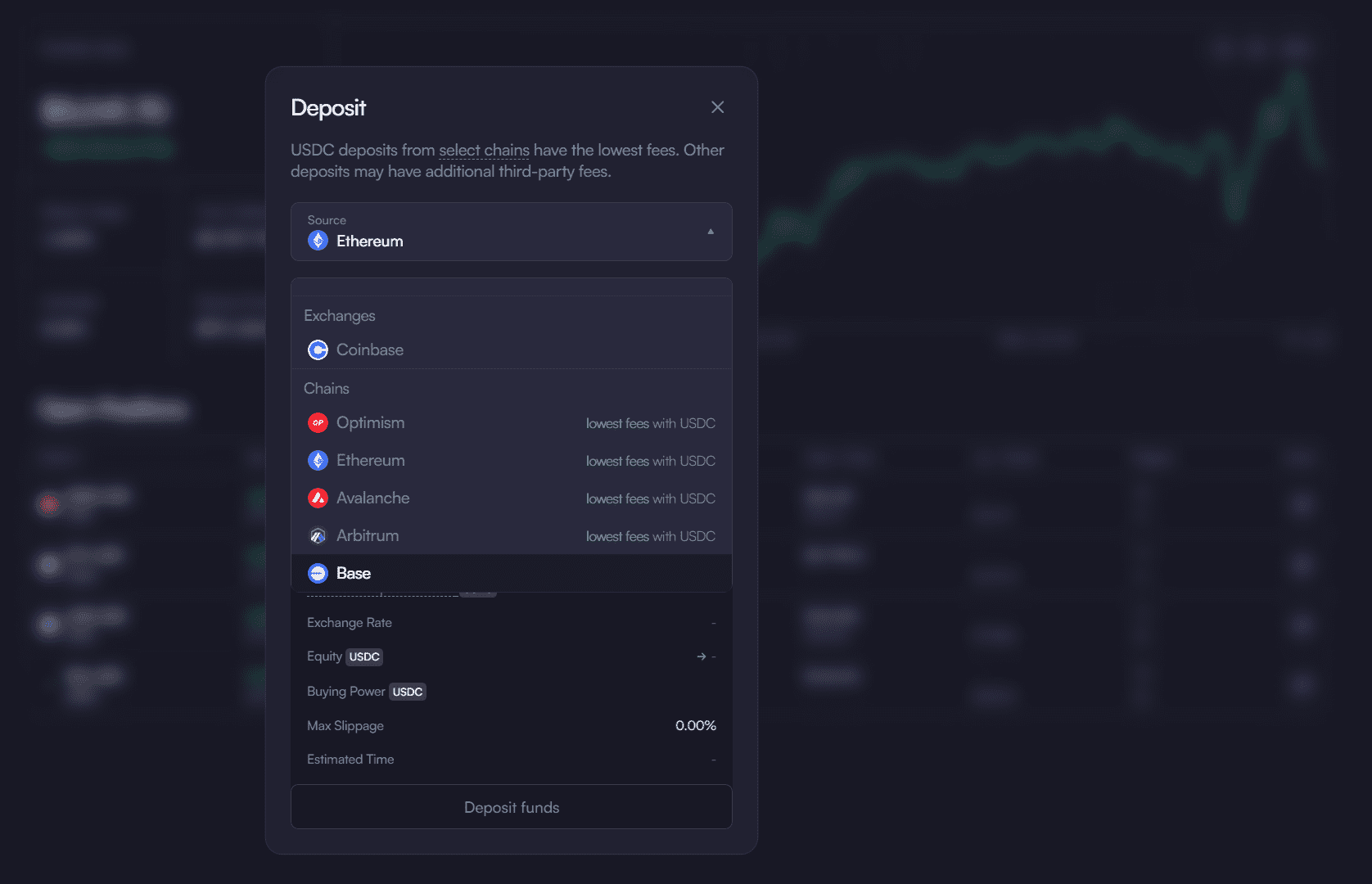
Before creating your dYdX v4 protocol wallet, make sure your account is funded:
- Connect Your Wallet: Link your existing crypto wallet (e.g., MetaMask) to the dYdX platform.
- Access Portfolio: Visit the dYdX portfolio overview.
- Add Funds: Use the
Depositbutton (usually found in the bottom left) to fund your account.
Creating Your dYdX v4 Protocol Wallet
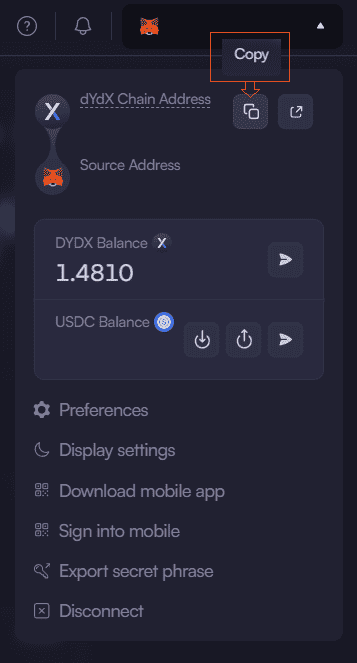
Create your dYdX v4 protocol wallet:
- Access Platform: Log into the dYdX platform.
- Create Wallet: Select
Create dYdX v4 Walletfrom the profile menu. - Save Address: Copy the dYdX Chain Address for API configuration. This address will serve as your API Key.
Retrieving API Credentials
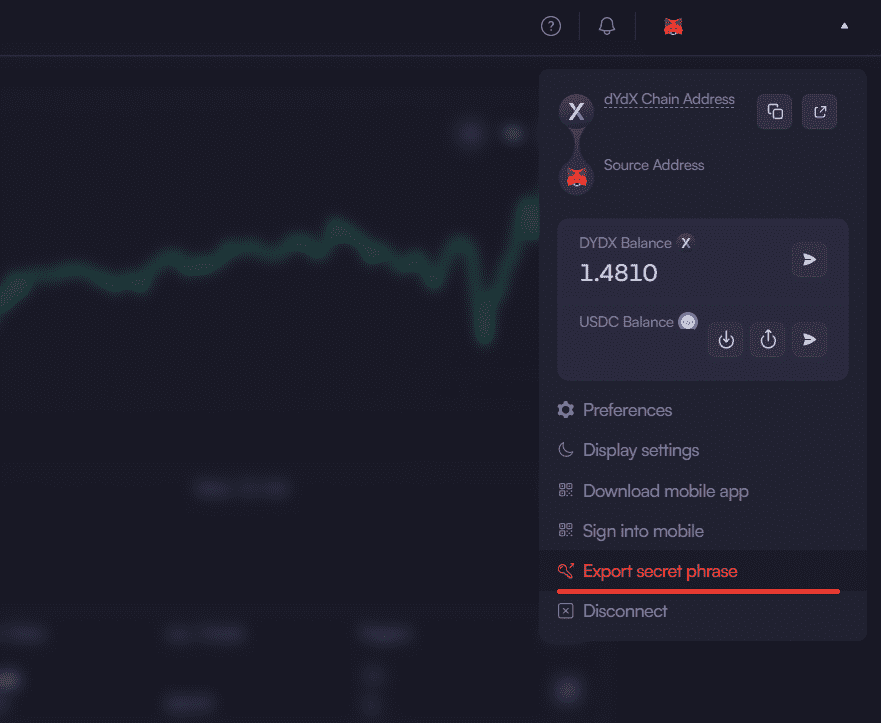
Collect the credentials you will use in your bot:
- Get Secret Phrase: Open the profile menu, select
Export Secret Phrase, acknowledge any security warnings, and carefully copy all 24 words. This phrase is your API Secret. - Store Securely: Keep the dYdX Chain Address (API Key) and the 24-word Secret Phrase (API Secret) in a secure offline location. Never share these credentials.
Configuring Your Trading Bot
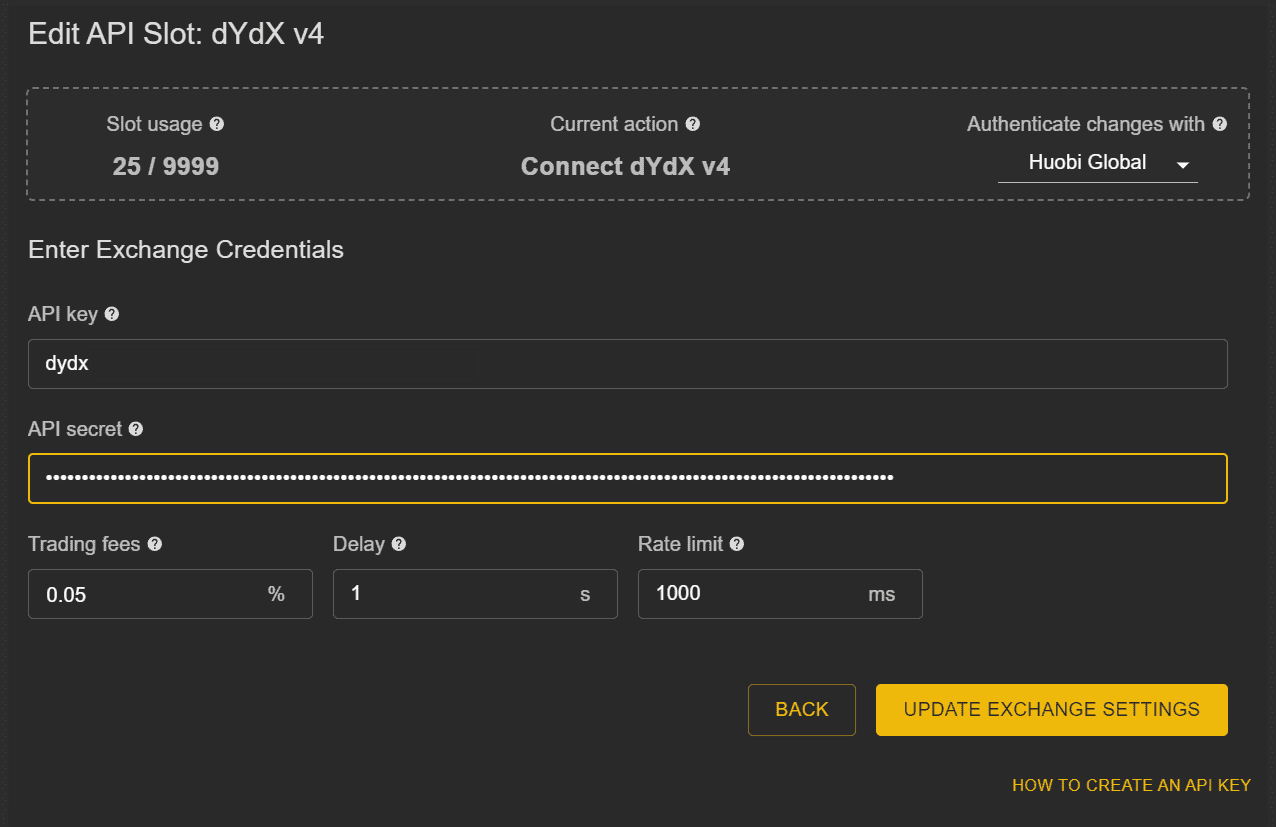
Configure your bot with the credentials you gathered:
- Access Settings: Open your bot's API configuration section.
- Enter Credentials:
- API Key: Your dYdX Chain Address.
- API Secret: Your 24-word secret phrase.
- Verify all details carefully.
- Trading Parameters:
- Set fee structure.
- Configure rate limits.
- Adjust trading delays. Double-check all settings.
Verification Steps
Complete these final checks:
- Save Configuration:
- Verify all API settings.
- Confirm credentials are saved in your bot.
- Test Connection:
- Add a trading pair.
- Check for data updates from the exchange.
- Verify your account balance is correctly displayed. Monitor initial operations closely.
A properly configured API key supports reliable automated trading. Review API settings regularly, never share credentials, and use secure channels when configuring your bot.
Ready to Start Automated Trading on dYdX v4?
Transform your trading approach with automated strategies designed for dYdX v4. Explore our dYdX Trading Bot features for best performance.