How to Create a Gate.io API Key for Your Bot
This guide walks you through creating an API key on Gate.io for automated trading.
The Gate.io API secret is displayed during key creation, so copy it before closing the exchange page. In Gunbot, the Gate.io API credentials should allow trading while keeping withdrawals disabled.
Info
An API (Application Programming Interface) key is a unique code that allows your trading bot to access your exchange account and perform actions like placing orders or reading account balances. Treat your API keys like passwords and keep them secure.
Step-by-Step Guide
-
Log into Gate.io: Access your Gate.io account and verify that your account meets all trading requirements.
-
Navigate to API Management: Follow these steps:
- Open Profile settings.
- Select API Management.
- Click 'Create API Key'.
-
Name Your API Key: Create a descriptive name that identifies this key's purpose and trading strategy.
-
Bind Your API Key: Configure IP binding:
- Add your bot's IP address.
- Leave unbound for flexible access.
- This can be modified later.
-
Select API Key Type: Choose API V2 Key:
- This type is required for full functionality.
- It supports all trading features.
- It is compatible with trading bots.
-
Configure API Key Permissions: Enable these essential permissions:
- Read access (for account info).
- Write access (for trading).
- Order management. Keep permissions minimal for best security.
-
Finalize API Key Setup:
- Review all permissions.
- Verify security settings.
- Complete 2FA (Two-Factor Authentication) verification.
- Store API key and secret credentials securely. Double-check all settings before saving.
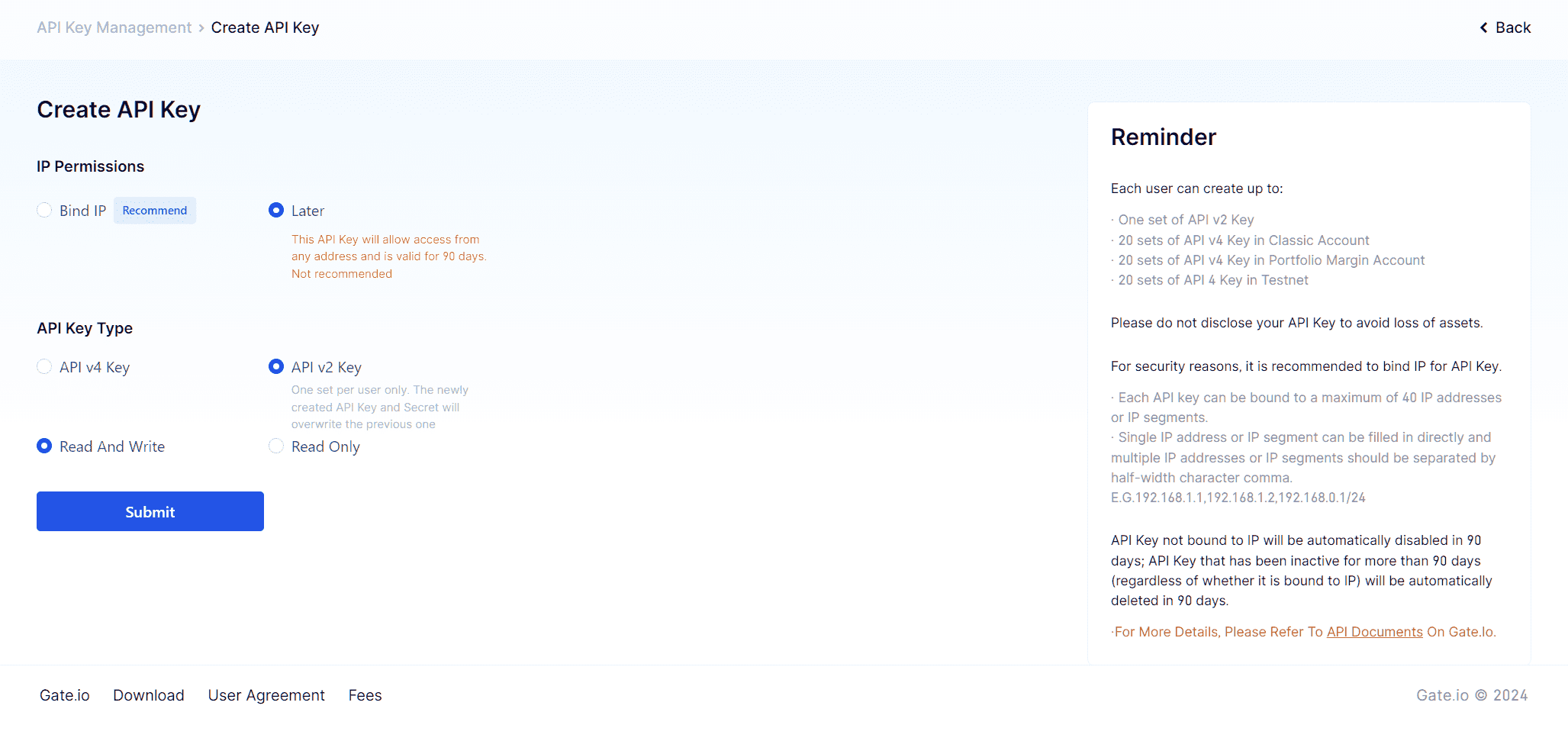
Access your API settings directly through Gate.io API Management.
A properly configured API key supports reliable automated trading operations. Regular reviews of your API settings help maintain account security. Never share your API credentials and use secure channels when setting up your trading bot.
Ready to Start Automated Trading on Gate.io?
Explore our Gate.io Trading Bot Features.