Continuous Monitoring
The bot tracks price action 24/7, ensuring instant execution of strategy conditions on BingX.
Gunbot / BingX automation
Automate your trading on your terms
Use Gunbot as a BingX trading bot for automated strategy execution while keeping your API credentials and trading logic under your control.
Meet the Gunbot workspace. Build your strategy, manage trading pairs, and follow execution from one interface.
Connect through the exchange API and keep funds in your account.
Choose a built-in strategy or develop custom JavaScript logic.
Keep pairs, strategy settings and trading activity within reach.
From account to automation
Deployment is instant via BingX API keys (read/trade only). Once active, Gunbot manages your portfolio autonomously, freeing you from chart watching. Manage unlimited pairs simultaneously to diversify risk. The system scales effortlessly from a single test pair to a comprehensive market-making setup, all controlled from a unified dashboard.
Explore accounts and pair management →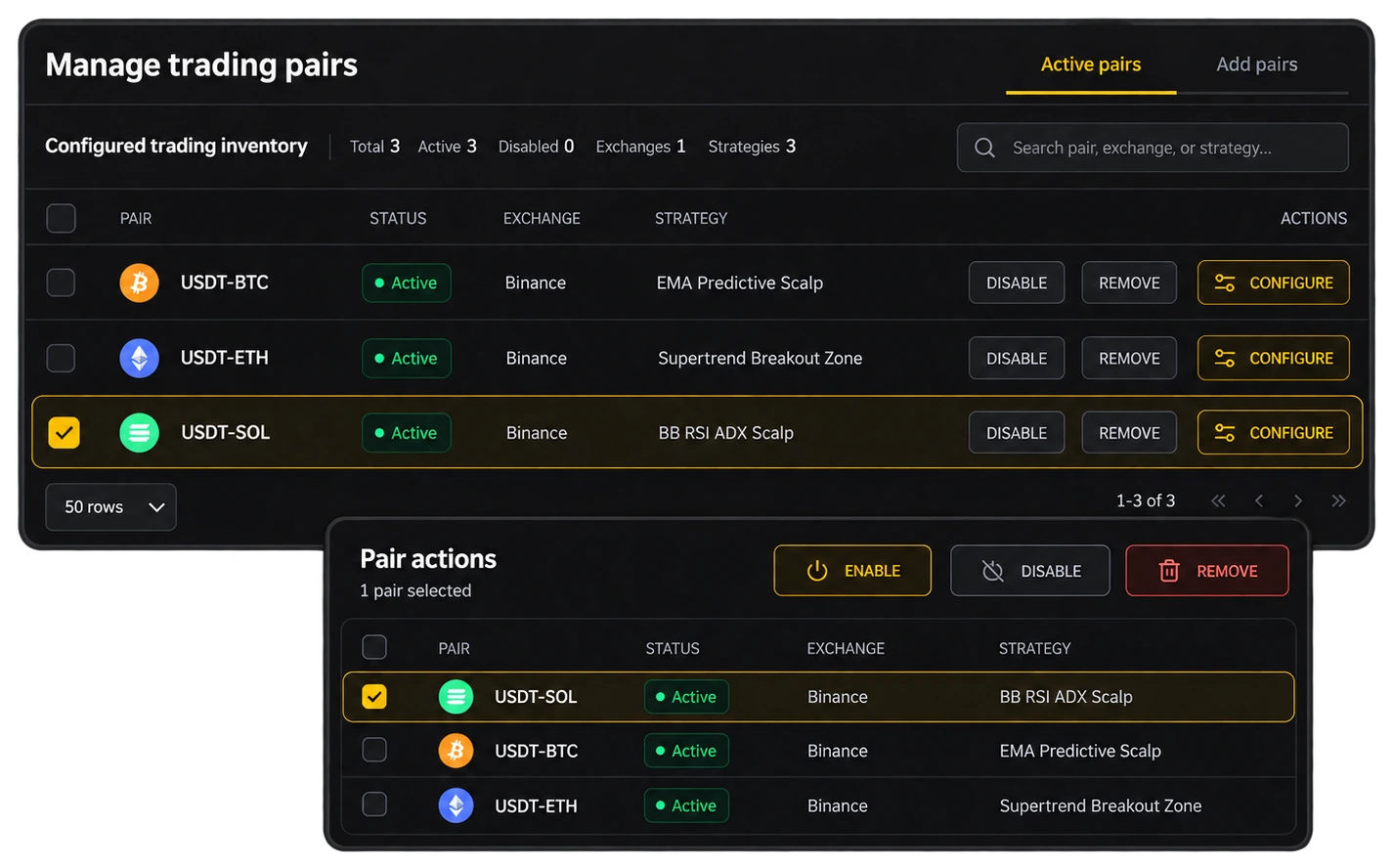
Strategy and execution
A BingX bot should do more than place orders. Gunbot lets you combine built-in strategies, risk limits, trailing, DCA, and JavaScript customization so BingX automation can match your actual trading plan.
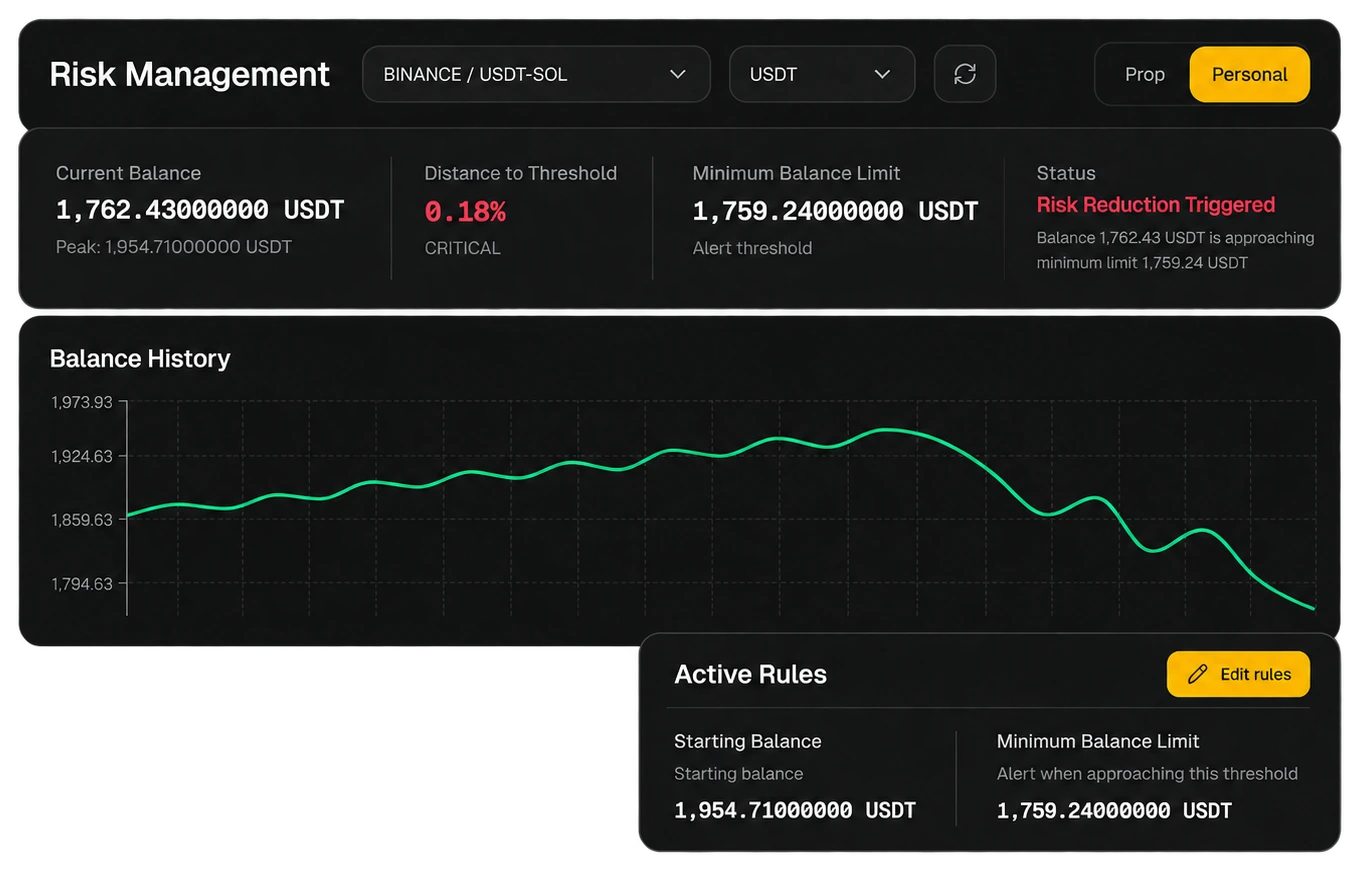
Automation tools
The bot tracks price action 24/7, ensuring instant execution of strategy conditions on BingX.
Choose from pre-tuned logic cores or build custom strategies using JavaScript. Adaptable to both Spot and Futures.
Trades are executed strictly according to logic, removing emotional variance from your performance.
Control your entire BingX automation array from a single, mobile-responsive interface.
BingX offers a user-friendly platform. Gunbot expands your options with a suite of deeply customizable strategies, letting you automate your own approach to spot trading on their liquid markets.
Gunbot provides deep control. The `stepGridScalp` strategy uses multi-timeframe analysis to understand market phases, adapting by trading cautiously in choppy conditions or placing limit orders at support levels automatically.
This approach goes beyond fixed grids. Gunbot adjusts its grid in real-time based on market volatility, capturing profits from price swings more effectively.
Get started with BingX
Follow the exchange setup guide and configure the API permissions required for trading. Keep withdrawal access disabled where applicable.
BingX API-key setup →Choose the pairs and strategy you want to run. Review order sizes, exposure limits and entry and exit settings before enabling automation.
Explore strategy tools →Monitor orders and trading activity, then adjust settings as conditions change. Automation follows your rules; it does not remove market risk.
See Gunbot in action →Tools to enhance your bot configuration
Leverage these technical resources to optimize your BingX setup. From backtesting to custom scripting, find the documentation you need.
Analyze historical performance data to validate strategies on BingX pairs before live deployment.
See results →Learn to write proprietary trading logic in JavaScript to execute precise actions on BingX.
Start coding →A technical overview of available spot strategies and their optimal configurations for BingX.
See strategy choices →Gunbot supports a wide array of exchanges. View the full list to plan your cross-platform strategy.
See exchange support →Before you connect
Gunbot Unlimited combines the hosted workspace shown in the overview with self-hosted trading cores. API secrets and order execution stay on the cores you run.
Connect an exchange →Review each exchange’s supported markets, minimum order sizes and API requirements. Strategy settings should fit the selected pair and market; backtesting and past results do not guarantee live results.
Check exchange support →Your next step