How to Change Your Trading Exchange in Gunbot
This guide walks you through changing your trading exchange in Gunbot, such as switching from Binance to Bybit.
Info
Changing an exchange in Gunbot means reallocating one of your licensed API slots. You are essentially de-registering an old exchange API key and registering a new one in its place.
Requirements for Self-Managing API Slots
Before proceeding, ensure you meet the following requirements:
- You must have at least one currently working (connected) exchange configured in Gunbot. This is used for authentication.
- You must be running Gunbot version 28 or higher.
Steps to Change to Another Exchange
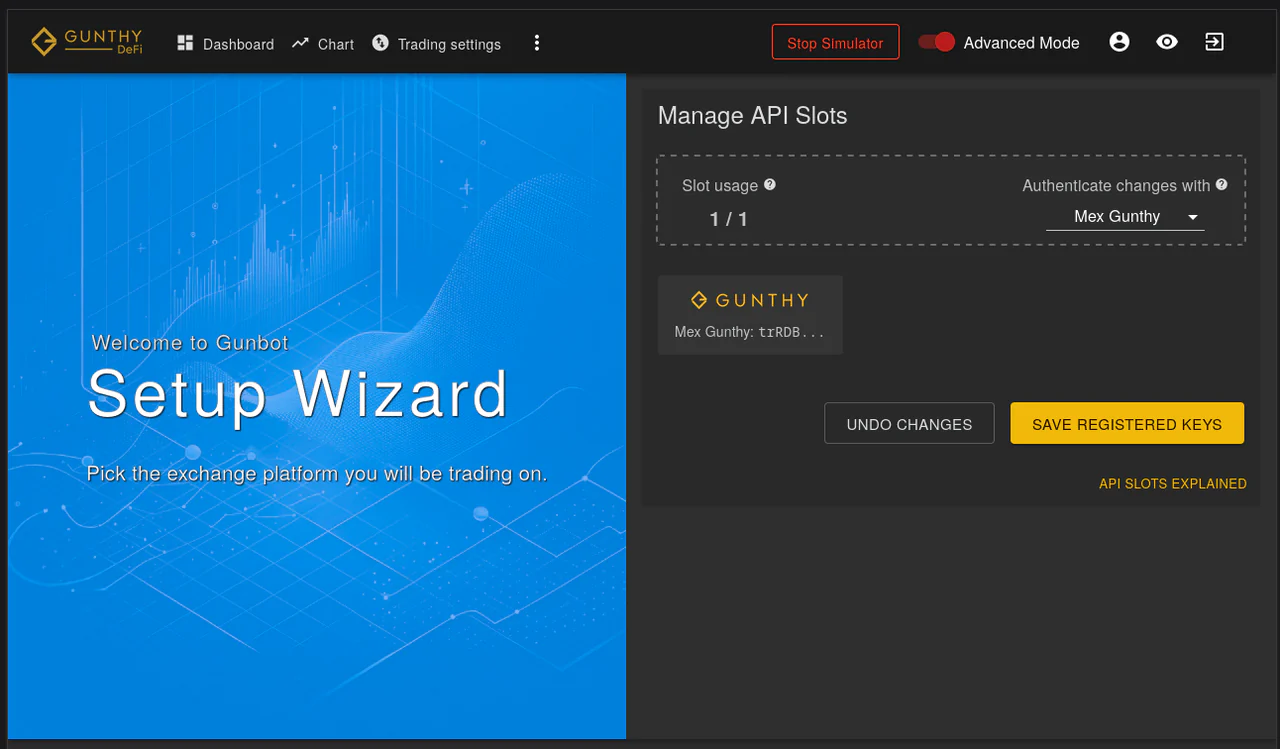
Step 1: Go to Manage API Slots
Navigate to the Manage API Slots page within your Gunbot interface to view and manage your registered API keys.
Step 2: Remove the Existing Exchange
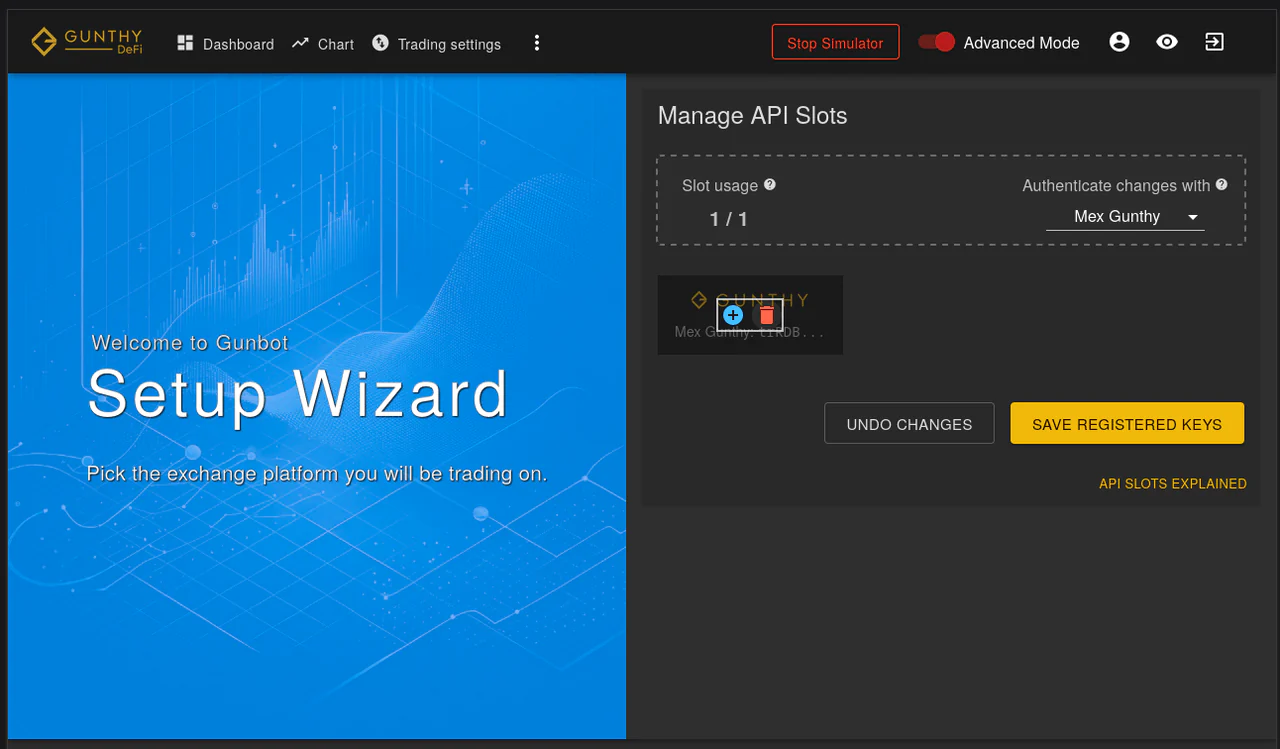
To free up an API slot, remove the exchange you want to replace. Click the red trash can icon next to the exchange you are removing.
Step 3: Click the Add Button
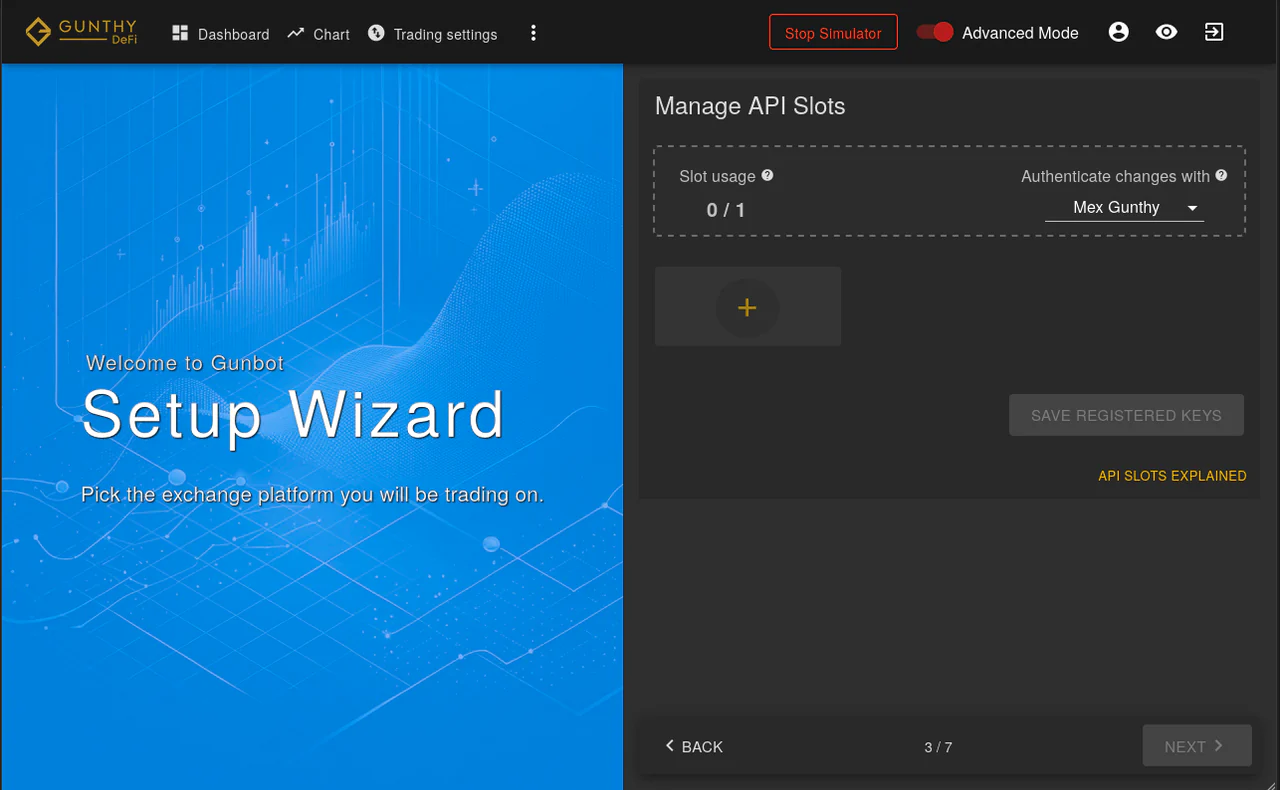
Once a slot is free, a '+' button will appear. Click this button to begin adding a new exchange.
Step 4: Select the New Exchange to Connect To
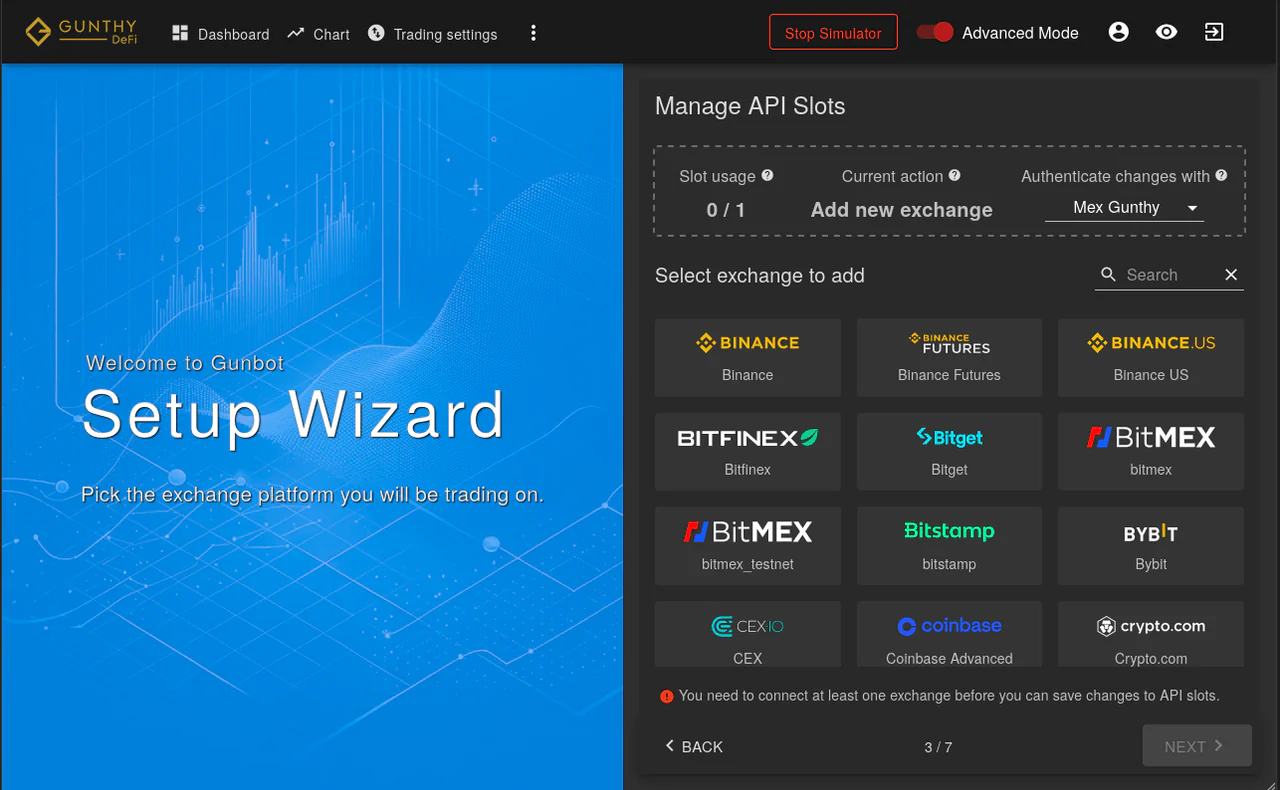
From the list of supported exchanges, choose the new exchange you want to connect to Gunbot.
Step 5: Enter Credentials and Save
Enter the API key and secret for the new exchange in the provided fields, then save the changes.
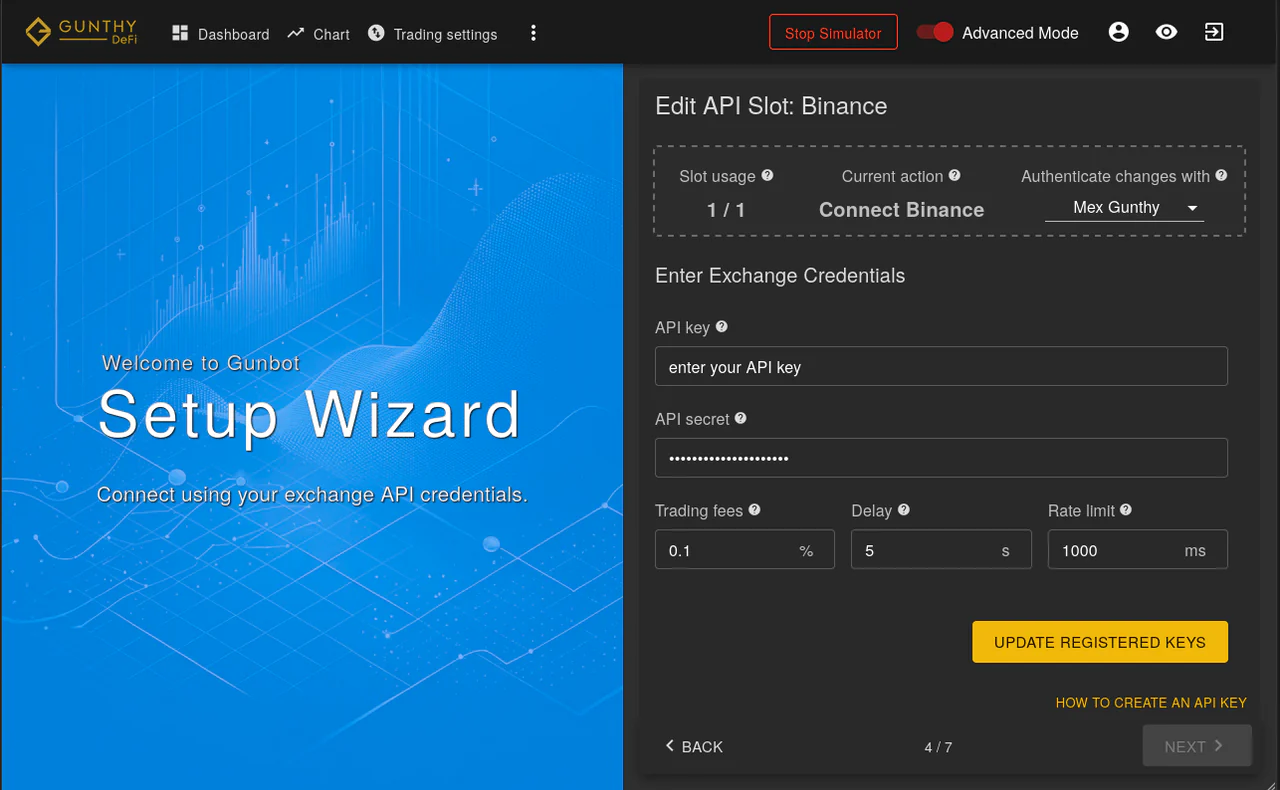
Authentication for Changing API Keys
At the top of the Manage API Slots page, use the selection field to choose one of your currently connected exchanges. Gunbot uses the selected exchange to authenticate your request to change the registered API keys.
- Important: The specific exchange you choose for this authentication step does not matter, as long as it is connected and operational in Gunbot.
What Happens Behind the Scenes
- Before updating the registered API keys with the new exchange details, Gunbot core attempts a connection to the exchange you selected for authentication.
- The changes to your API slot (removing the old exchange and adding the new one) are only processed if this authentication connection succeeds. This security measure helps ensure the request is from the rightful user.
Contacting Support
If you do not meet the requirements for self-managing API slots (for example, if you have no working exchanges left to use for authentication), contact Gunbot support for help.