Been using Gunbot for 3 years now! 💎 Huge thanks to the Gunbot team for creating such an amazing bot and consistently delivering awesome updates. Keep up the great work! ❤
IMMD
Trader
In brief
Imagine your trading bot handling the markets around the clock, making decisions on your behalf even while you're asleep or focusing on other important tasks. It sounds futuristic for a trading bot, but it's happening now.
Automating your trades with a trading bot isn't just about freeing up your time—it's about seizing every opportunity the market throws your way, without the need for constant attention. Let's break down how you can set up a trading bot for 24/7 trading, the crucial features that make it possible, and why tools like Gunbot can make your trading journey seamless and efficient.
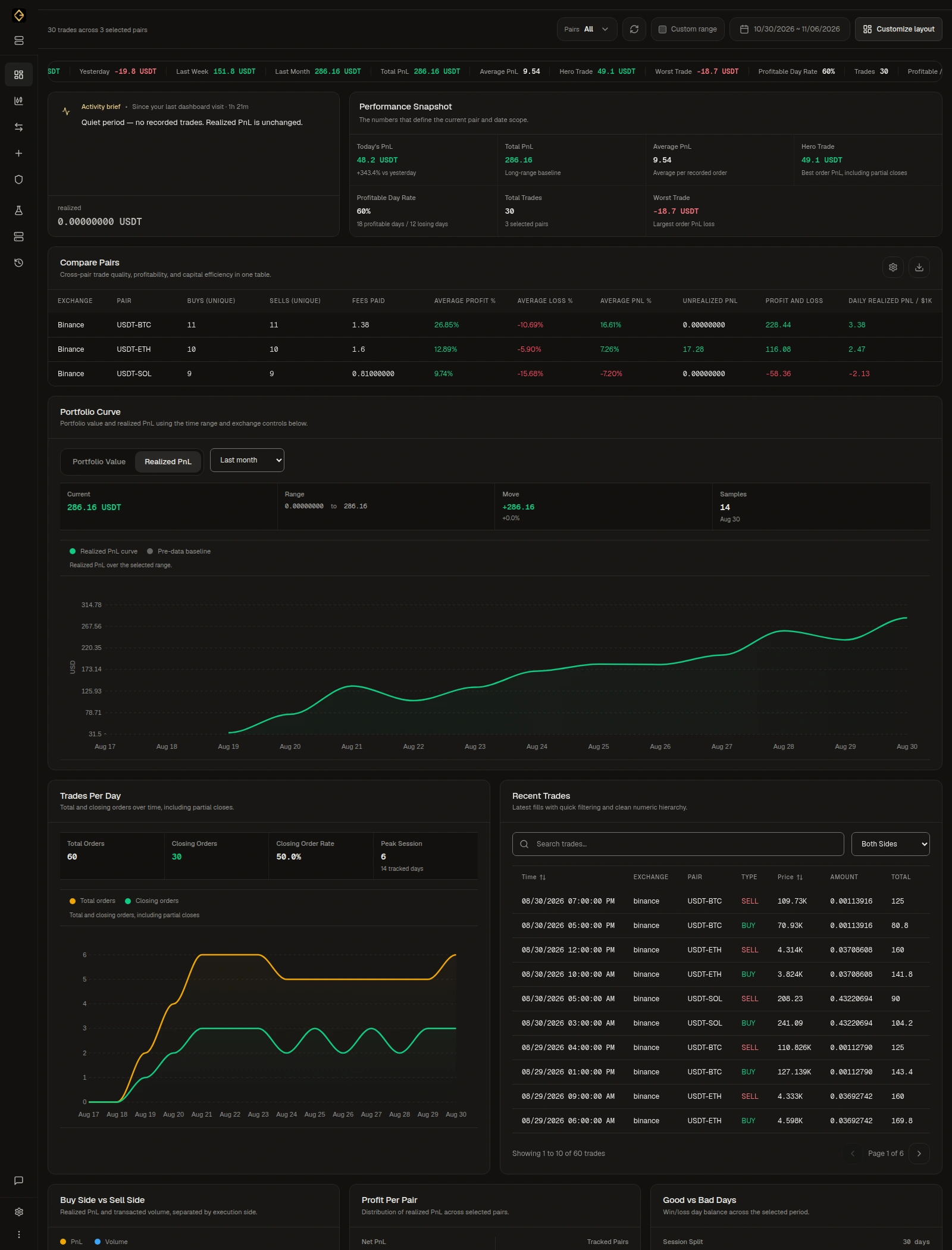
Gone are the days when traders had to sit in front of their screens, manually executing every trade without a trading bot. Now, trading bots handle it all, operating 24/7 in an always-active market. With tools like Gunbot, you can automate your trading bot strategies, set precise rules for buying and selling, and let the bot execute trades for you. Features like real-time strategy visualization, AutoConfig for dynamic adjustments, and customizable trading bot strategies ensure that you can trade smarter, not harder. The beauty of trading bot automation is that it reduces emotional trading decisions, helping you stay disciplined while maximizing market opportunities.
Trade continuously without the need to monitor markets round the clock.
Customize strategies and set rules that adapt to changing market conditions in real-time.
With automated trading, the bot takes over, executing your strategy with precision even when you're offline.
Gunbot supports multiple exchanges, allowing you to manage trading across different markets all at once.
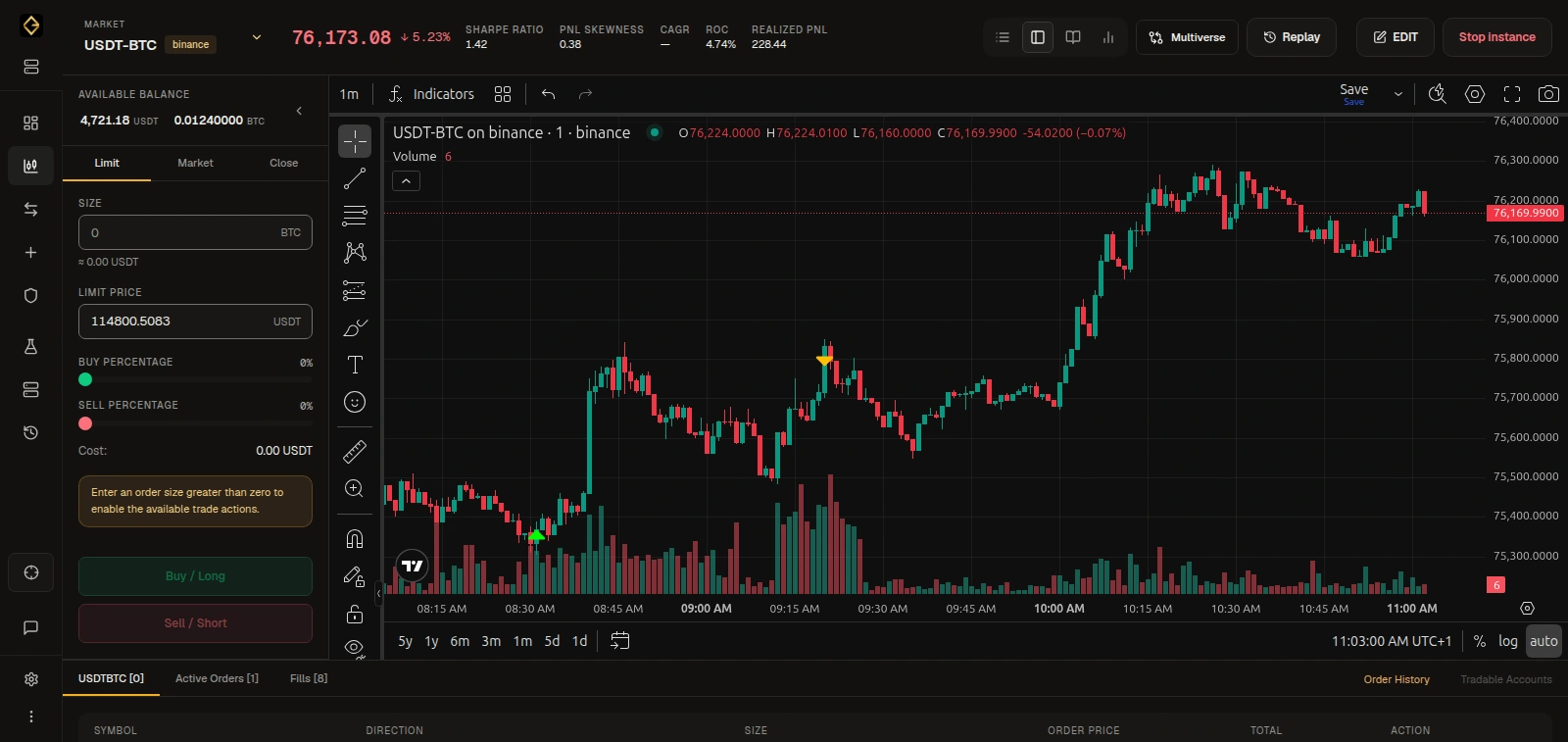
In today's fast moving markets, being reactive isn't enough for a trading bot strategy. A trading bot doesn't just execute trades—it empowers you to take full advantage of every market condition, even if you're not there to witness it. Tools like Gunbot allow you to configure everything, from basic buy/sell signals to complex trading bot strategies based on multiple indicators like moving averages, RSI, or even your own custom scripts. Features like AutoConfig can adjust your trading bot's behavior on the fly, based on real-time market changes, ensuring you're always in the best position to trade. With the power of trading bot automation, you can capture opportunities that manual traders might miss, and reduce emotional decision-making that often leads to mistakes.
Been using Gunbot for 3 years now! 💎 Huge thanks to the Gunbot team for creating such an amazing bot and consistently delivering awesome updates. Keep up the great work! ❤
The most effective crypto trading software is Gunbot; I tested several other platforms, and none matched its performance—yes, I tried the others during a bull run and still got not the best result as with Gunbot!
I’m a rocky in this world and very surprise that I’m on the leaderboard must I say. I tried other platforms but Gunbot is the best because there is a very helpful community and developers. I tried some strats and at the end I’m very happy with MFrider for a mid / longterm.
Full access to every Gunbot feature, with ongoing updates.
See your upgrade offer for Gunbot Unlimited.
For existing registered lifetime owners only.Secure payments. Cancel anytime.
Resources to Master Automated Trading
Explore these resources to maximize the potential of your trading bot and take your trading bot automation skills to the next level.
Access a comprehensive archive of backtests to fine-tune and optimize your Gunbot strategies.
View backtests →Discover which exchanges Gunbot supports for seamless multi-exchange trading automation.
See exchanges →Explore code examples to create and optimize custom trading strategies with Gunbot.
Get example code →Learn how AutoConfig can dynamically adjust your Gunbot strategies based on real-time market data.
Explore AutoConfig →