24/7 Position Management
Automated monitoring of price action. Executes entries and exits instantly based on your defined logic.
Gunbot / Binance Futures automation
Simplify your Futures operations
Use Gunbot for futures bot trading on Binance Futures, with configurable strategy rules for derivatives markets and local control over API credentials.
Meet the Gunbot workspace. Build your strategy, manage trading pairs, and follow execution from one interface.
Connect through the exchange API and keep funds in your account.
Choose a built-in strategy or develop custom JavaScript logic.
Keep pairs, strategy settings and trading activity within reach.
From account to automation
Stability and privacy are paramount in derivatives trading. Gunbot connects directly to the Binance Futures API from your local machine, ensuring zero third-party latency or data exposure. Trade an unlimited number of contracts simultaneously. From BTC-USDT to altcoin perps, the bot manages entries and exits based on your strategy configuration without manual intervention.
Explore accounts and pair management →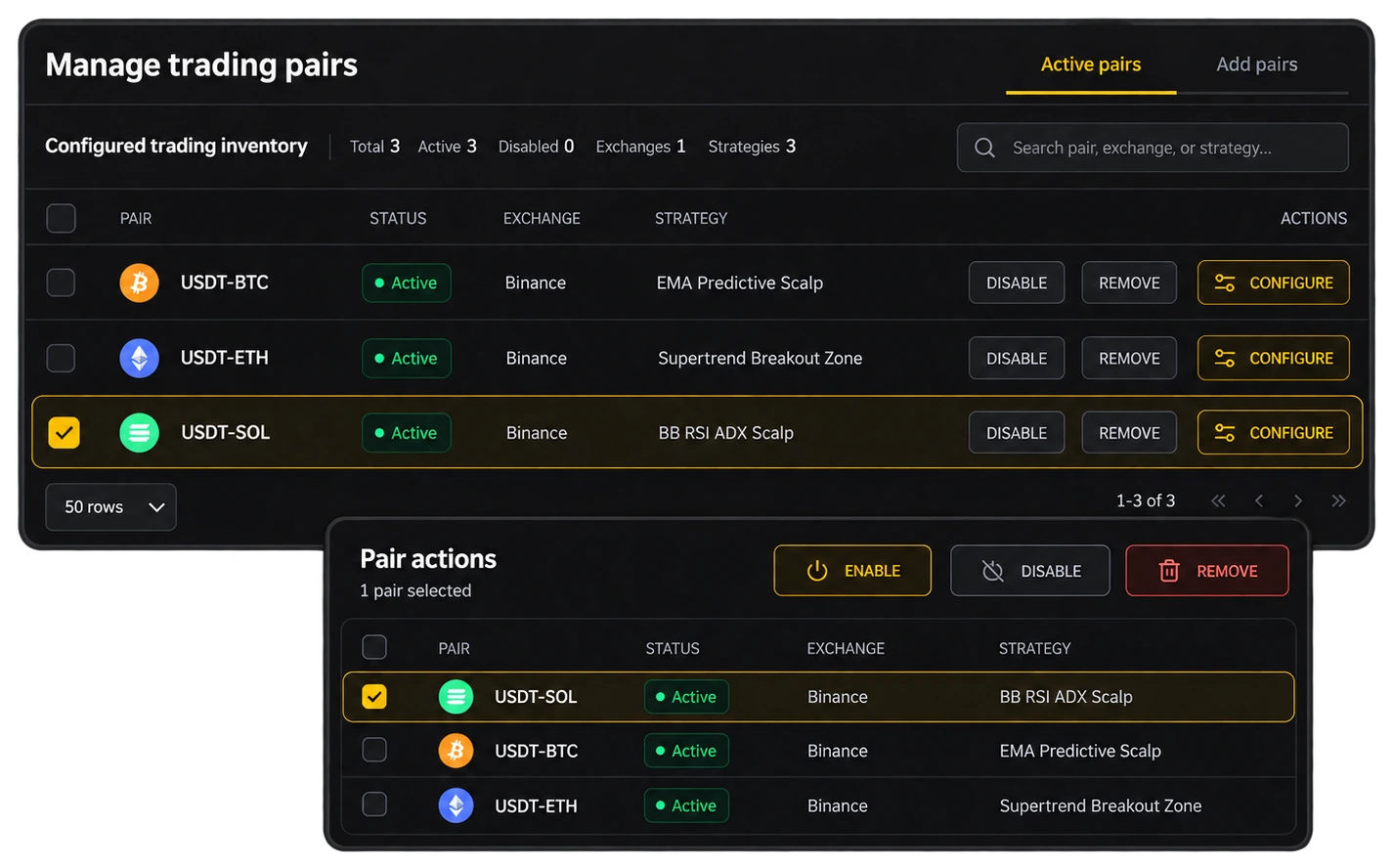
Strategy and execution
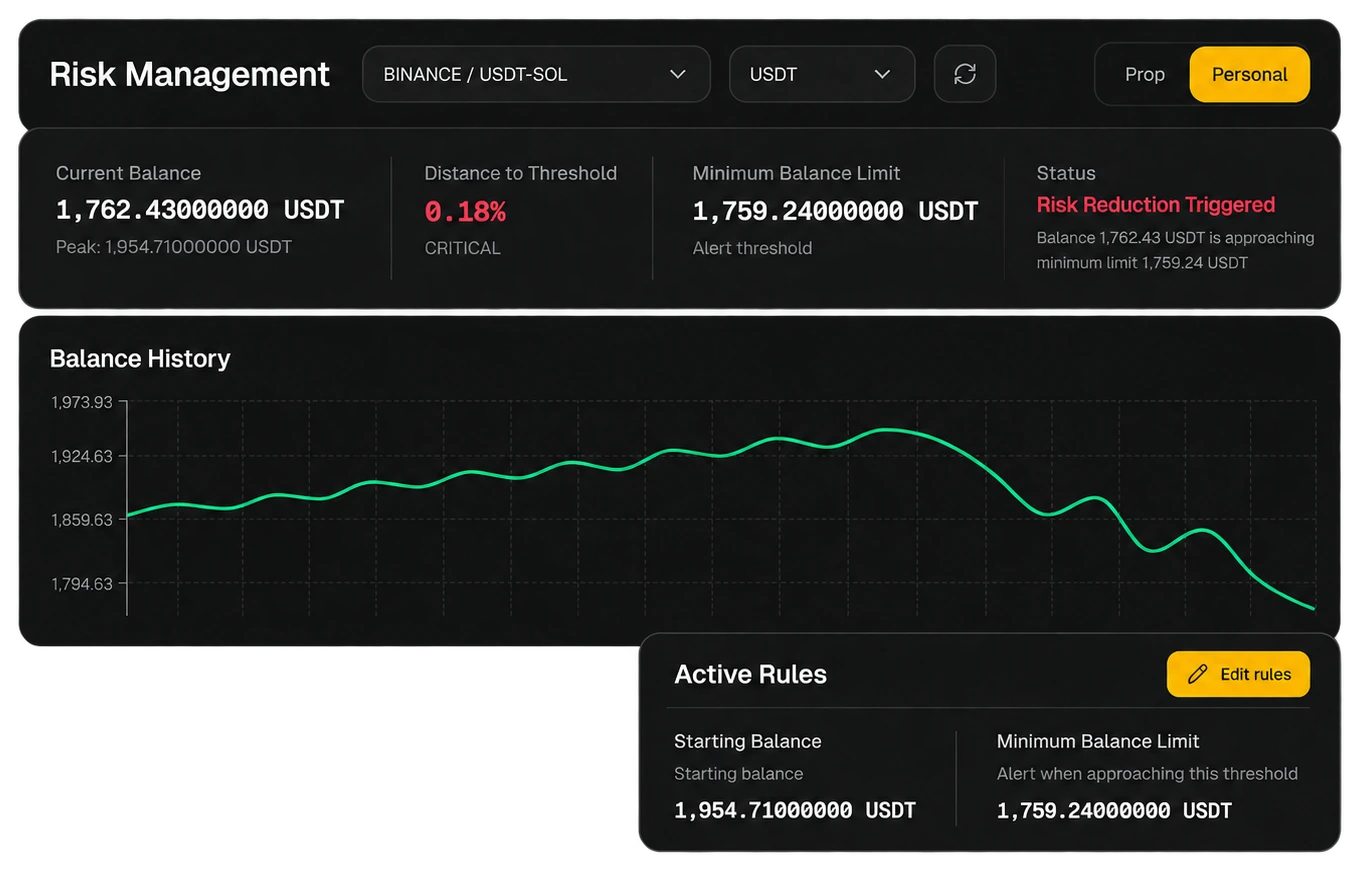
Binance Futures automation needs stricter risk management than spot trading. When bot trading futures on Binance, use restricted API permissions, position limits, and tested settings before increasing leverage or trade frequency.
Automation tools
Automated monitoring of price action. Executes entries and exits instantly based on your defined logic.
Simultaneously hold Long and Short positions on the same contract. Optimize delta-neutral strategies.
Removes emotional decision-making from high-leverage trading. Adheres strictly to your configured risk limits.
Monitor positions and emergency close trades via a mobile-optimized interface, even while hosting locally.
Go beyond Binance's built-in bots. Use Gunbot's advanced strategies, create your own from scratch, or trade signals from any source on the world's leading futures exchange.
Binance Futures offers exceptional liquidity, ensuring your grid orders fill efficiently. Gunbot's direct API connection provides low-latency execution, crucial for managing a grid of orders and reacting quickly to price movements.
The 'futuresgrid' strategy is an active system designed to trade market volatility. It automatically builds a position by averaging down and takes profit when targets are hit, operating 24/7.
Get started with Binance Futures
Follow the exchange setup guide and configure the API permissions required for trading. Keep withdrawal access disabled where applicable.
Read the setup guide →Choose the pairs and strategy you want to run. Review order sizes, exposure limits and entry and exit settings before enabling automation.
Explore strategy tools →Monitor orders and trading activity, then adjust settings as conditions change. Automation follows your rules; it does not remove market risk.
See Gunbot in action →Enhance your derivatives automation
Technical resources to help you refine your futures strategies, from risk management configuration to custom scripting.
Validate your futures strategies against historical Binance data before risking capital.
View Backtests →Build proprietary logic for futures trading using Gunbot's JavaScript engine.
Start Customizing →Trigger futures positions directly from TradingView alerts for signal-based trading.
Execute Trading Alerts →See the full list of supported futures markets and exchanges compatible with Gunbot.
View Exchanges →Before you connect
Gunbot Unlimited combines the hosted workspace shown in the overview with self-hosted trading cores. API secrets and order execution stay on the cores you run.
Connect an exchange →Review each exchange’s supported markets, minimum order sizes and API requirements. Strategy settings should fit the selected pair and market; backtesting and past results do not guarantee live results.
Check exchange support →Your next step