How Can I Migrate USDT Trading Pairs Without Losing Order History in Gunbot?
As MiCA regulations take effect in Europe, some traders using USDT may need to switch to other stablecoin pairs such as USDC. The steps below explain how to migrate pairs while keeping order history.
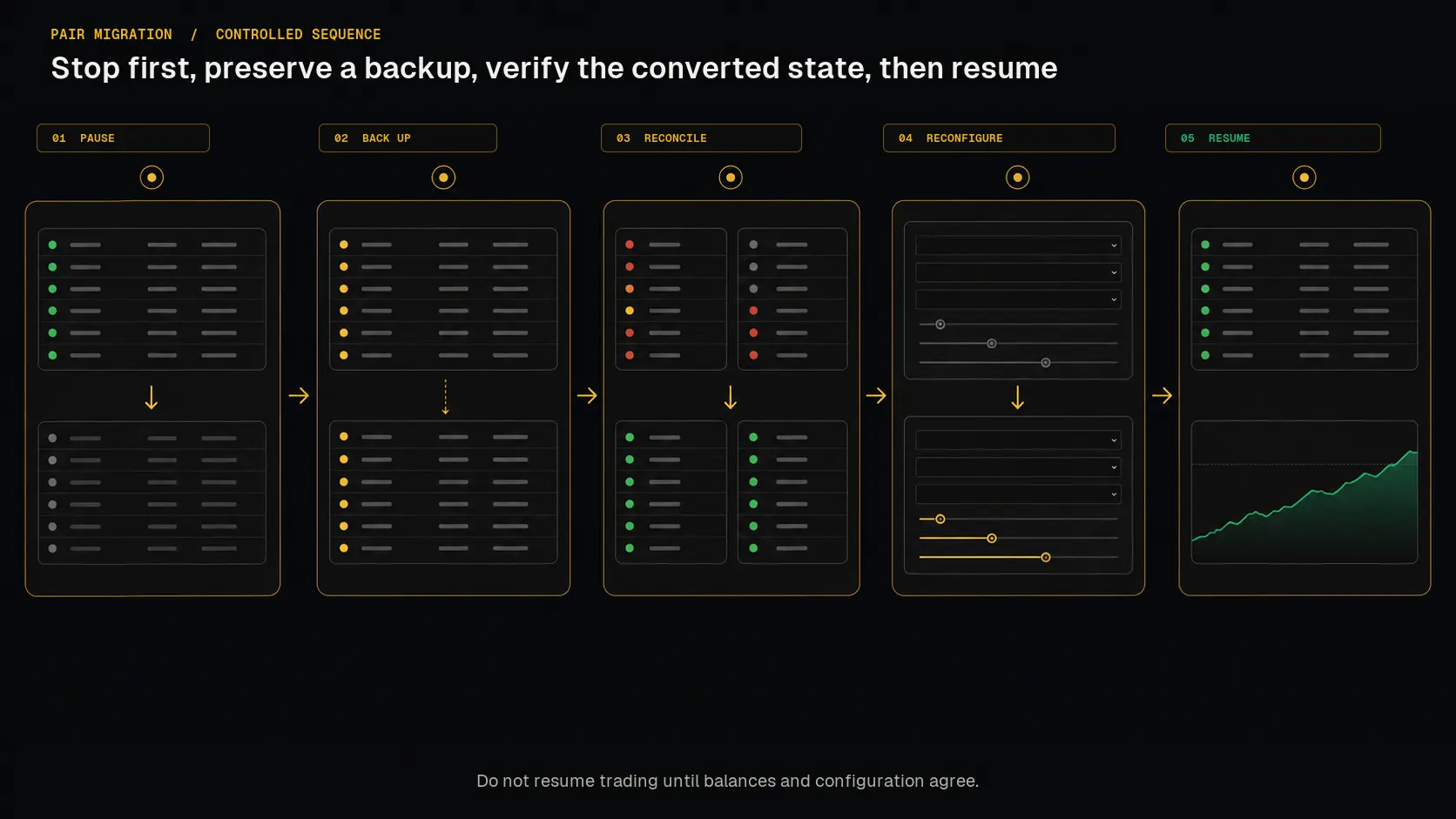 Treat the change as a controlled migration: stop first, preserve a backup, verify the converted state, and only then resume.
Step-by-Step Guide (using a script for file changes)
Download Links for Scripts
-
Stop the Bot and Create a Backup
- Halt trading in Gunbot and stop the process.
- Duplicate your Gunbot folder for backup purposes.
-
Run the Script Place the unpacked script in the duplicated folder. Depending on your operating system, follow these steps to run it:
For Linux:
./mica2025-linux USDCFor macOS:
./mica2025-macos USDCFor Windows:
- Create a new
.batfile (for example,run_migration.bat). - Add the following line to the file:
start mica2025-win.exe USDC
- Double-click the
.batfile to execute the script.
You can replace
USDCwith the stablecoin of your choice (e.g.,DAIorBUSD). - Create a new
-
Resulting Files
- The script will create a
/json_copyfolder containing the migrated state files. - It will also generate a
config_copy.jsfile with the updated pairs.
- The script will create a
-
Final Step
- If satisfied with the migration, rename
/json_copyto/jsonandconfig_copy.jstoconfig.jsfor production use. - The original
/jsonfolder andconfig.jsremain untouched as a backup.
- If satisfied with the migration, rename
Step-by-Step Guide (Manual)
1. Stop Gunbot Gracefully
- Halt trading via Gunbot's interface.
- Fully exit the Gunbot process.
2. Create a Backup
- Duplicate your Gunbot folder.
- Label the original folder as a backup, and work in the copy for all modifications.
3. Clean Up Files in the Copied Folder
- Go to the
jsonfolder. - Delete all files and subfolders except the state files for the pairs you are trading (e.g.,
binance-USDT-BTC-state.json). - Also remove the
backupfolder inside thejsonfolder. - Delete
state.db,state.db-wal, andstate.db-shmfiles.
4. Rename State Files
- Rename each relevant state file in the
jsonfolder to reflect the new base currency, e.g.,binance-USDT-BTC-state.jsonbecomesbinance-USDC-BTC-state.json.
5. Edit Pair Names in State Files
- Open each renamed state file with a text editor.
- Replace all instances of the old pair name (e.g.,
USDT-BTC) with the new pair name (e.g.,USDC-BTC).
6. Modify Pair Names in Configuration
- Open the
config.jsfile with a text editor. - Update the pair names in the
pairssection to match the new base currency.
7. Exchange Old Stablecoins
- Log in to your exchange.
- Convert all USDT to the new stablecoin (e.g., USDC) to ensure comparable balances.
8. Restart Gunbot
- Launch Gunbot from the modified folder to begin trading with the new stablecoin pairs.
Why Gunbot is Ready for MiCA and Other Changes
Gunbot supports pair changes without losing order history, so you can adapt to regulatory requirements like MiCA while keeping your strategy intact.
Upcoming Automation
We are developing a script to automate these steps, making the process quicker and easier. Stay tuned for updates!